


Overview
Download, convert, merge and translate subtitles from YouTube and any site that shows captions.
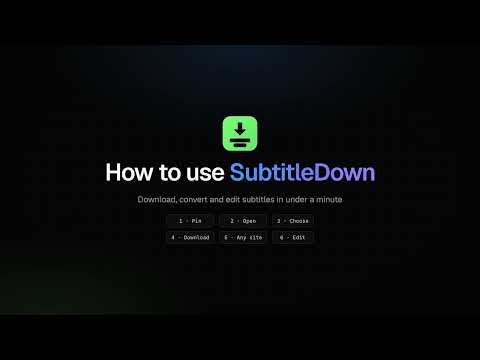
SubtitleDown downloads the subtitles of the video you are watching in one click, and lets you convert, clean up, merge and translate them right in your browser. It is free, needs no account, and everything runs on your computer. What it does • YouTube subtitles in one click Open a video, click the SubtitleDown icon and you see every subtitle track, including auto-generated and auto-translated ones. Tick the languages you want and download them. • Subtitles from other websites Many sites with online courses or news videos load their subtitles as separate files. Switch on Universal capture for a site, play the video with subtitles turned on, and SubtitleDown lets you save those files. Subtitles that arrive in many small pieces are joined into one complete file. Universal capture stays off until you turn it on, one site at a time. • Save in the format you need Download subtitles as SRT, VTT, ASS or plain text, or keep the original file. Formatting such as italics is kept when you convert. • Download many at once Select several languages and get them in one ZIP file. On a YouTube playlist, you can download the subtitles of every video in your language. • Two languages in one file Combine two subtitle tracks into one file that shows your language at the bottom and the language you are learning at the top. Great for learning a language while you watch. • Built-in editor Move subtitles earlier or later when they are out of sync, remove sound descriptions such as [Music], repair broken characters, fix overlapping lines and edit any line by hand, with undo. • Translation on your device Translate a subtitle track with the translation built into Chrome. It runs on your computer and nothing is uploaded. Private by design SubtitleDown has no ads and no tracking. Subtitles go straight from the site you are watching to your browser and never pass through our servers. You do not need an account to download, convert or edit. How to use it 1. Pin SubtitleDown to your toolbar. 2. Open a video and click the SubtitleDown icon. 3. Choose the languages and the format. 4. Click Download. Guides: https://subtitledown.com/guides Free and Pro All the features above are free, with no download limits. Pro is optional and supports further development. SubtitleDown does not bypass copy protection. Please only download subtitles you are allowed to use. YouTube is a trademark of Google LLC; SubtitleDown is not affiliated with Google. Help and contact: https://subtitledown.com/support
0 out of 5No ratings
Details
- Version1.0.0
- UpdatedNovember 7, 2026
- Size213KiB
- LanguagesEnglish
- DeveloperWebsite
Email
voxlab.dev@gmail.com - Non-traderThis developer has not identified itself as a trader. For consumers in the European Union, please note that consumer rights do not apply to contracts between you and this developer.
Privacy

Subtitle Downloader: SubtitleDown, YouTube, Netflix & Any site has disclosed the following information regarding the collection and usage of your data. More detailed information can be found in the developer's privacy policy.
Subtitle Downloader: SubtitleDown, YouTube, Netflix & Any site handles the following:
This developer declares that your data is
- Not being sold to third parties, outside of the approved use cases
- Not being used or transferred for purposes that are unrelated to the item's core functionality
- Not being used or transferred to determine creditworthiness or for lending purposes
Support
For help with questions, suggestions, or problems, visit the developer's support site