

Subtitle Downloader: YouTube Netflix Disney+ Max Apple TV & Any Site

Overview
Batch download whole seasons of subtitles (SRT, VTT, ASS, TXT) from Netflix, YouTube & any site! Auto-translate & edit.
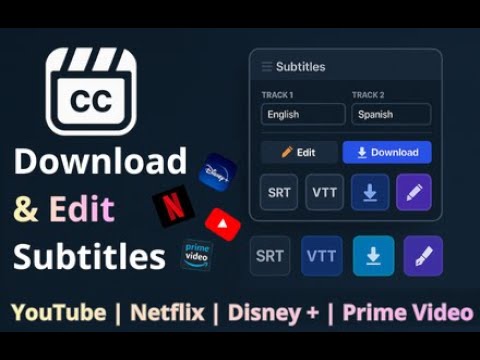
🌟 KEY FEATURES & COMPATIBILITY The Ultimate Subtitle Extractor & Downloader for Chrome Need to grab subtitles for offline viewing, language learning, or video editing? Subtitle Downloader is the most powerful and lightweight Chrome extension to extract, edit, and save closed captions (CC) from your favorite streaming platforms and the broader web. Whether you need a YouTube Transcript extractor, Netflix SRT subtitles, Disney+ captions, Apple TV+ scripts, HBO Max SRT files, or timed text from an obscure custom video player, we’ve got you covered. Export a single video's subtitles, or batch-download an entire TV show season in one click! ✅ No account required to get started. ✅ ALL FEATURES & PLATFORMS UNLOCKED We believe in providing a complete tool for everyone. That’s why every premium platform and every advanced feature is fully accessible from day one: • All Platforms Included: Netflix, Disney+, Prime Video, plus our highly requested native integrations for Apple TV+ and Max (HBO). • All Features Included: Dual & multiple subtitles, batch/bulk download, AI translation, and every export format (SRT, VTT, ASS, TXT with positioning). • Generous Monthly Limit: You get 20 Free Downloads per month on premium streaming platforms (enough for ~90% of users). Heavy users (more than 20/month) can go Premium for unlimited downloads and help keep the project alive. • YouTube Stays Unlimited: YouTube downloads stay 100% free and unlimited. They never count toward your monthly quota! ✅ UNIVERSAL SUBTITLE DOWNLOADER Stop installing a different extension for every site. With our all-in-one Subtitle Downloader, you can: • Download Netflix Subtitles (SRT, VTT, TXT) for any movie or series. • Download YouTube Subtitles & Transcripts (including auto-generated captions). • Download Disney Plus Subtitles effortlessly in any language. • Download Prime Video Subtitles directly from the player. • Download Apple TV Subtitles easily with one click. • Download HBO Max Subtitles without manually merging every part-subtitle file and save your precious time. • Download Subtitles everywhere on the web. If you can grab subtitles on the developer tool, our extension can do it for you in one click! If not, just contact support and we will support the new edge case and improve our solution for everyone! 🌐 SMARTER UNIVERSAL DETECTION & DASH/HLS SUPPORT Go beyond our natively supported platforms to extract subtitles from ANY other website! • Fragmented Subtitles Merging: Extract 'hidden' or fragmented subtitles (DASH/HLS streaming). If a site splits subtitles into 60+ tiny files (like on many e-learning platforms such as Coloso, Skool, Groove3, MixWithTheMasters, university LMS portals, or Dailymotion), our tool automatically detects, merges, and gives you one clean SRT file in one click! • Detect on ANY site: Automatically find and pull subtitles on unsupported streaming sites, blogs, or custom web video players. 🔒 STRICT PRIVACY & FULL CONTROL ("My Permissions") Tired of extensions asking to read your data on all websites? We give the power back to you. • Granular Control: Go to the extension Popup ➔ Profile View (the icon)➔ My Permissions (or directly to this link chrome-extension://flnhbocnpgofdjnmhogoanlilfmeneph/src/permissions/permissions.html) to easily enable or disable access on a per-site basis. • Strictly Necessary Access: Only use our tool for Netflix? Simply turn off all other permissions! The extension stays completely dormant on sites you haven't approved. • Manual Opt-In: Every time you use the Universal downloader on a new website, you must manually grant it access. No hidden background tracking, ever. 🔥 THE MULTI-FORMAT TOOLKIT Massive Format Support We save your subtitles in their raw original format with reliable fallbacks. Whether you need the universal web standards like SRT (SubRip) and VTT (WebVTT), or simple TXT (Plain Text) for reading plain transcripts, we have you covered. Anime fans and video editors can also extract advanced styled captions including ASS (Advanced SubStation Alpha), SSA, and SMI. We even support broadcast and web-native formats like TTML, SUB, and XML directly from the source! Keep the original positioning, colors, and fonts, or convert them effortlessly. AI Subtitle Translation Can't find subtitles in your native language? Translate subtitles instantly using advanced AI. Convert English subtitles to Spanish, French, German, Japanese, and 100+ languages. Perfect for accessing content that is region-locked. Batch & Bulk Download Save hours of manual work with our powerful mass download capabilities. The only extension that allows you to: • Entire Season Bulk Extraction: Bulk download subtitles for a full TV show season or multi-episode series all at once on Netflix, Disney+, Apple TV+, Prime Video, and Max. • YouTube Playlist Extractor: Mass export clean text transcripts from every single video inside a complete playlist. • Smart Zip Archive: Get all your bulk-extracted subtitle files neatly packed and organized in a single ZIP file. For Language Learners & Editors • Dual Mode: Download two languages at once (e.g., English + Spanish) merged into a single bilingual file. • Built-in Editor: Fix typos, sync issues, or remove distracting tags like [Music] before exporting. 📚 HOW TO USE (STEP-BY-STEP) How to Download Subtitles from Any Website? Play any movie or episode on your chosen platform. Open the Subtitle Downloader extension popup (grant permission if it's a new site). Select your desired language and format (SRT/VTT/ASS). Click Download. How to Download YouTube Subtitles or Transcripts? Open a YouTube video or Short. Click the extension icon. Select TXT for a clean transcript or SRT for subtitles. Click Download. 🎯 WHO IS THIS EXTENSION FOR? 🎬 Content Creators: Mass export YouTube transcripts as plain text for blog posts, articles, or social media summaries. 🎓 Language Learners: Grab bilingual subtitles in your target language for offline study. 🎞️ Video Editors & Data Hoarders: Bulk download SRT or ASS files to archive locally or drag-and-drop into Premiere Pro and DaVinci Resolve workflows. ❓ FREQUENTLY ASKED QUESTIONS (FAQ) Is this Subtitle Downloader free? Yes! The extension offers 20 free downloads per month on streaming platforms (Netflix, Prime, Max, etc.), which covers the needs of ~90% of our users. YouTube downloads are completely free and unlimited. Only heavy users need to upgrade to Premium. Is it safe and private? Absolutely. All subtitle processing happens locally on your browser. Unlike other tools, we do not force broad background permissions. Thanks to our "My Permissions" dashboard, you control exactly which websites the extension can access. If you only want it running on YouTube and Prime Video, you can disable everything else. Your browsing privacy is 100% in your hands. Does it work with auto-generated captions? Yes! If the platform provides auto-generated closed captions, our tool can grab them. 🌍 SUPPORTED LANGUAGES FOR DOWNLOAD & TRANSLATION Common Languages / European Languages / Asian & Middle Eastern Languages. If your language is not supported yet, write to us. Special Categories: Download English CC (Closed Captions) for the hearing impaired. Download SDH Subtitles (Subtitles for the Deaf and Hard of Hearing). Download Forced Subtitles. Bulk Download Auto-Translated YouTube Subtitles. DISCLAIMER This extension is not affiliated with any websites. This tool is intended for personal use and educational purposes only. 📺 SUPPORTED PLATFORMS SUMMARY Stop installing a different extension for every site. Here is the current status of our integrations: ✅ Netflix (SRT, VTT, TXT) ✅ YouTube (Transcripts & Auto-captions - Always Unlimited) ✅ Disney+ (All languages) ✅ Prime Video (Direct from player) ✅ Apple TV+ (Native deep integration) ✅ Max / HBO (Exclusive shows & movies) 🌐 Universal Sites (Works on almost ANY other video player, including course platforms like Skool and Coloso) 🗣️ WE LISTEN TO OUR COMMUNITY We build this tool for YOU! What feature would make this extension perfect for you? A new platform, a format, a workflow improvement — anything goes. We read every message. Drop us your feedback directly here: 👉 https://tally.so/r/D4B6k5 ❤️ MORE TOOLS BY THE SUBTITLE DOWNLOADER TEAM Subtiltee / Easy Dual Sub (Must-Have): Dual subtitles & instant translation directly on your video player! Works for Netflix, YouTube, and every other site already supported by this subtitle downloader extension (Fallback method websites included) Check out our other tools: https://subtiltee.com/easy-dual-sub & https://subtiltee.com
4.4 out of 562 ratings
Details
- Version3.4.5
- UpdatedOctober 5, 2026
- Size10.95MiB
- Languages52 languages
- DeveloperWebsite
Email
contact@subtiltee.com - Non-traderThis developer has not identified itself as a trader. For consumers in the European Union, please note that consumer rights do not apply to contracts between you and this developer.
Privacy

Subtitle Downloader: YouTube Netflix Disney+ Max Apple TV & Any Site has disclosed the following information regarding the collection and usage of your data. More detailed information can be found in the developer's privacy policy.
Subtitle Downloader: YouTube Netflix Disney+ Max Apple TV & Any Site handles the following:
This developer declares that your data is
- Not being sold to third parties, outside of the approved use cases
- Not being used or transferred for purposes that are unrelated to the item's core functionality
- Not being used or transferred to determine creditworthiness or for lending purposes
Support
For help with questions, suggestions, or problems, please open this page on your desktop browser