


Overview
Archive any Substack you're subscribed to as Markdown, TXT, or PDF — one click, using your own signed-in session.
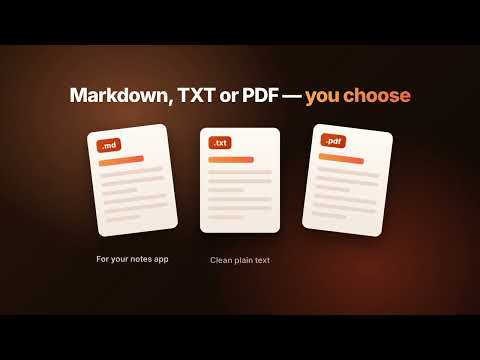
Substack Archiver turns any Substack publication you're subscribed to into your own permanent, offline library — Markdown, plain text, or a real paginated PDF, saved straight to your computer in one click. No login forms, no pasted cookies, no server, no browser-automation tool to install. It simply reads the posts through your own already-signed-in Chrome session, exactly like scrolling and reading them yourself — so paid posts you're subscribed to come through too. ★ FEATURES • Download a single post — from the page itself, one click. • Download an entire publication — every post, in one run, including the full paid archive if you're a subscriber. • Three formats: Markdown (with title/author/date/source frontmatter), plain TXT, or a properly paginated PDF. • Works on standard *.substack.com addresses and custom domains. • Skips posts you've already archived on a repeat run, so it's safe to re-run any time to pick up new posts — no duplicates. • A small on-page widget appears automatically on Substack pages with "Download this post" / "Download all posts" — or drive the same thing from the extension popup by pasting a publication URL. • Runs in the background — close the popup and it keeps going; reopen any time to see progress or cancel. ★ HOW TO USE From any Substack page: 1. Make sure you're signed in to that publication in this Chrome profile. 2. A small widget appears in the bottom-right corner. 3. Pick a format (Markdown / TXT / PDF), then click "Download this post" or "Download all posts". From the extension popup: 1. Click the toolbar icon. 2. Paste the publication's URL (e.g. https://example.substack.com). 3. Pick a format and click "Archive everything". 4. Files land in your Downloads folder, organized by publication. ★ FREE TO TRY Your first 10 single-post downloads are free — no account, no card, no license key required. Just install and start archiving. ★ THEN, INCREDIBLY AFFORDABLE Unlimited single-post downloads and full-publication archiving unlock with Pro — just $9.99/year, less than a dollar a month, and less than the cost of a single paid Substack subscription to back up every newsletter you already pay for. Upgrade any time from the popup; payment is handled securely by Dodo Payments, and your license key arrives by email in seconds. ★ PRIVACY & SECURITY • No account, no sign-up, no password of ours to leak. You use your own Chrome session — we never see, store, or transmit your Substack login. • No server. There is nothing to breach: the extension talks directly to Substack (to fetch the posts you already have access to) and to Dodo Payments (only to check a license key), and that's it. • Everything happens on your machine. Post content is converted to Markdown/TXT/PDF locally in your browser and saved directly to your own Downloads folder — it is never uploaded anywhere. • We collect nothing about you or your reading habits. No analytics, no trackers, no ads. • Full details: https://substack-archiver-privacy.pages.dev ★ SUPPORT Questions or issues? kienkoi89@gmail.com Substack Archiver is an independent tool and is not affiliated with, endorsed by, or sponsored by Substack Inc. ``` ## Category suggestion Productivity ## Screenshots to prepare (not generated here) 1. On-page widget on a Substack post (showing the "Download this post" pill + format chevron). 2. Popup with a publication URL entered and progress bar mid-archive. 3. Popup's license/upgrade card (free-quota state). 4. A converted Markdown file open in a text editor, showing the YAML frontmatter.
Details
- Version0.3.1
- UpdatedOctober 10, 2026
- FeaturesOffers in-app purchases
- Size414KiB
- LanguagesEnglish
- Developer
Email
kienkoi89@gmail.com - Non-traderThis developer has not identified itself as a trader. For consumers in the European Union, please note that consumer rights do not apply to contracts between you and this developer.
Privacy

This developer declares that your data is
- Not being sold to third parties, outside of the approved use cases
- Not being used or transferred for purposes that are unrelated to the item's core functionality
- Not being used or transferred to determine creditworthiness or for lending purposes


