


Pangkalahatang-ideya
Mga tema ng ChatGPT, Prompt Manager, kasaysayan ng prompt, folder, PDF/DOCX export, bulk actions, Message Navigator, at iba pa!
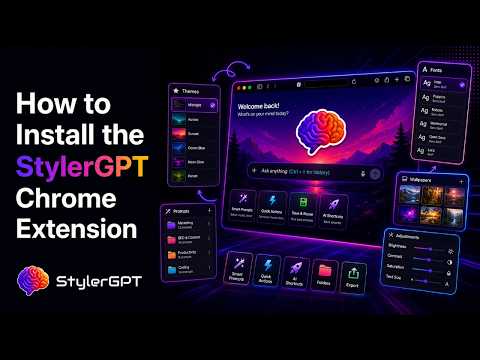
StylerGPT is an all-in-one browser extension for ChatGPT, for people who want a cleaner, more personal, and more productive workspace. Customize your interface with themes, backgrounds, fonts, colors, chat folders, local exports, reusable prompts, navigation tools, and focused workflow upgrades. 🛡️ Privacy-focused: all your data is stored only on your local machine. Your chats never leave your device. No telemetry and no tracking. ***** New in StylerGPT ***** 🪄 Prompt Enhancer: rewrite the current draft in Static mode, or use Interactive mode to answer guided questions and select options before generating the improved version. 🧩 Prompt Manager: save, organize, search, favorite, archive, edit, and insert reusable prompts directly inside the ChatGPT composer. 📁 Chat Folders: organize conversations into local folders from the native sidebar. 📄 Chat Export: export conversations locally as PDF, DOCX, Markdown, TXT, or JSON. 💻 Code Block Themes: customize how code blocks appear inside your chats. ↵ Enter for new lines: make Enter create a new line and send with Shift+Enter. 🕘 Message timestamps: show the date and time above each message in the conversation. 🎨 Chat bubble text colors: set separate text colors for user and assistant chat bubbles from Chat Layout. ***** Themes and Customization ***** 🎨 1000+ ready-made ChatGPT themes for light and dark workflows, including dedicated accessibility themes for easier reading. 🖼️ 1000+ backgrounds and wallpapers, plus custom image uploads. 🔤 1000+ Google fonts for ChatGPT, with font size controls and interface or chat-message scope. 🌈 Color palettes, custom accent colors, vibrant mode, and a gradient generator for custom themes. 🛋️ Background color, gradient, image, opacity, and position controls for a more comfortable workspace layout. 📐 Chat layout controls for conversation width, user and assistant bubble backgrounds, and separate text colors. 🏷️ Brand mask controls to customize the logo area and model label in your own workspace. 💻 Code block styling for developers who spend time reading generated code. ***** Organization and Chat Tools ***** 📁 Chat Folders: create local folders, customize folder color and icon, and assign conversations from the sidebar. ✅ Bulk Actions: select visible chats and delete or archive multiple conversations at once. 📄 Chat Export: export the current conversation as PDF, DOCX, Markdown, TXT, or JSON without sending it to a remote export service. 🧭 Message Navigator: jump to the first, previous, next, or last message without endless scrolling. 🕘 Message timestamps: show when each user or assistant message was sent, directly in the chat. 🕘 Prompt History: use Ctrl/Cmd + Up or Down in the message box to cycle through previous prompts. 🧩 Prompt Manager: build a personal prompt library with folders, variables, favorites, archive, and quick insertion. 📋 Clipboard Access: open recent clipboard items from the composer and insert them faster. ↵ Enter for new lines: make Enter create a new line and send with Shift+Enter. ***** Power Tools ***** 🔄 BG Roulette: rotate workspace backgrounds automatically by interval, category, and opacity. ▶️ YT Summarizer: extract a YouTube transcript and open ChatGPT with a ready-to-send summary or highlights prompt. 📄 Chat Export: create clean local PDF or DOCX files with selectable text, code labels, emoji, dark-theme support, and non-Latin text. 🪄 Prompt Enhancer: refine the current draft before you send with a quick Static mode or an Interactive mode that asks questions and lets you choose answers, then replace the composer text or copy the improved version. 🧱 Prompt variables: turn reusable prompts into templates with fields you can fill before inserting. ⚡ Quick prompt insertion: type // or your chosen trigger in the message composer to open saved prompts faster. StylerGPT is designed for developers, writers, students, marketers, researchers, creators, and professionals who spend long sessions in ChatGPT and want more control over the interface. Use StylerGPT to make ChatGPT easier to read, easier to organize, and easier to reuse. Keep conversations clean with folders, bulk actions, and optional message timestamps. Keep your favorite prompts ready with Prompt Manager and Prompt History, and refine drafts before sending with Prompt Enhancer in Static mode or Interactive question-and-answer mode. Keep long chats portable with local PDF, DOCX, Markdown, TXT, and JSON export. Keep your workspace comfortable with themes, fonts, colors, backgrounds, chat layout controls, and separate bubble text colors for user and assistant messages. The native flow stays recognizable, with local organization, export, prompt, and appearance controls where daily users need them. How to use StylerGPT: 1. Install the extension. 2. Pin StylerGPT in your browser. 3. Open ChatGPT. 4. Open the StylerGPT panel from the toolbar or with Alt + Shift + S. 5. Choose your theme, background, font, folders, prompts, and tools. Free trial available: unlock StylerGPT Power features for 7 days. Privacy-friendly by design. StylerGPT focuses on local customization and local workflow tools for ChatGPT. ChatGPT is a registered trademark of OpenAI OpCo, LLC. All logos, trademarks, and registered trademarks are the property of their respective owners. This extension is not affiliated with or endorsed by OpenAI.
4.7 sa 5270 rating
Mga Detalye
- Bersyon2026.5.13
- Na-updateMayo 19, 2026
- Mga FeatureNag-aalok ng mga in-app na pagbili
- Laki5.28MiB
- Mga Wika54 (na) wika
- DeveloperFabio ViolaWebsite
Via Matte Trucco 65 Roma, RM 00132 ITEmail
hello@stylergpt.comTelepono
+39 389 797 2161 - TraderTinukoy ng developer na ito ang kanyang sarili bilang trader ayon sa kahulugan mula sa European Union at nakatuon na mag-alok lang ng mga produkto o serbisyo na sumusunod sa mga batas ng EU.
Privacy

Ipinapahayag ng developer na ito na ang iyong data ay
- Hindi ibinebenta sa mga third party na hindi kabilang sa mga naaprubahang sitwasyon ng paggamit
- Hindi ginagamit o inililipat para sa mga layuning hindi nauugnay sa pangunahing functionality ng item
- Hindi ginagamit o inililipat para tukuyin ang pagiging creditworthy o para sa mga layunin ng pagpapautang
Suporta
Para sa tulong sa mga tanong, suhestyon, o problema, bisitahin ang site ng suporta ng developer