


Overview
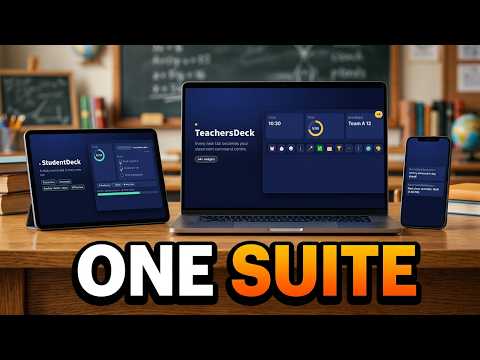
A study dashboard on the new tab page for students: focus timer, homework list, reading log, flashcards, dictionary and XP.
DESCRIPTION StudentDeck turns Chrome's new tab page into a study dashboard for students. Every new tab is a reminder of what to work on next. Open only the tools you need. Everything lives in three docks, so the screen stays clean until you need something. PLAN AND FOCUS • Focus timer with 15, 25 and 45 minute sessions • Homework list with a calendar • Reading log and notepad LEARN • Flashcards • Dictionary and Translate • An English idiom every day • Files viewer for PDFs and Google Docs CREATE AND REFLECT • Scrapdeck: a scrapbook for photos, text and stickers • Journey: a mood and journal diary that stays on your device • A few short games for breaks STAY MOTIVATED • Earn XP for studying and level up • Collect badges • See your progress on the stats dashboard MAKE IT YOURS • Light and dark mode, switched from the top bar • Backgrounds and themes SAFE FOR CHILDREN No account, no email and no ads. Everything is saved in your browser on this computer. Journal entries never leave the device, and location data is removed from photos when you add them. StudentDeck never shows prices or purchase links. StudentDeck replaces your new tab page. To go back, turn off or remove the extension at chrome://extensions. PRIVACY PRACTICES TAB Single purpose: Replaces the new tab page with a study dashboard of tools that help a student plan and track their schoolwork. Host permission justification (api.dictionaryapi.dev): The Dictionary widget looks up the English word a student types and shows its meaning. Only that word is sent. Remote code: No, I am not using remote code. Data usage: Website content (the word sent to the dictionary service): Yes. Everything else: No. Certify: not sold to third parties; not used for purposes unrelated to the item's single purpose; not used for creditworthiness or lending. Privacy policy URL: https://myteachersdeck.com/privacy DISTRIBUTION TAB Payments: Free of charge Visibility: Public (or Unlisted for a soft launch) Regions: All regions TEST INSTRUCTIONS (for the reviewer) No account is needed. Open a new tab to see the dashboard. To see it filled with sample data, open Settings and click "Try the demo", or add ?demo=1 to the address. Joining a class isn't available in this version, and the app says so.
0 out of 5No ratings
Details
- Version0.20.1 rc3
- UpdatedOctober 28, 2026
- Size160KiB
- LanguagesEnglish (United States)
- DeveloperWebsite
Email
teachersdeck@gmail.com - Non-traderThis developer has not identified itself as a trader. For consumers in the European Union, please note that consumer rights do not apply to contracts between you and this developer.
Privacy

StudentDeck has disclosed the following information regarding the collection and usage of your data. More detailed information can be found in the developer's privacy policy.
StudentDeck handles the following:
This developer declares that your data is
- Not being sold to third parties, outside of the approved use cases
- Not being used or transferred for purposes that are unrelated to the item's core functionality
- Not being used or transferred to determine creditworthiness or for lending purposes
Support
For help with questions, suggestions, or problems, please open this page on your desktop browser