

Streamsteady — X Spaces

Overview
Listen to X Spaces in a pop-out player with the speaker roster and volume, plus local recording.
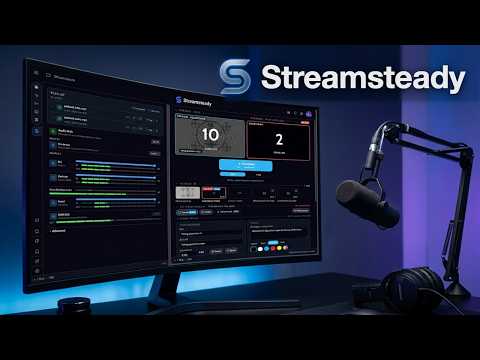
Streamsteady — a steadier way to listen to X Spaces. Private beta for invited testers. THIS EXTENSION IS FOR BETA TESTING. • Pop-out player — open a live Space in a floating player with the speaker roster, reactions and volume, and keep listening while you work in other tabs. • Live on X — the side panel lists the Spaces that are live now, so you can join from one place. • Record a Space — recordings are saved on your computer. Watch a recording back, or export it as a video file made on your computer. Stream Studio (hosts, optional). Hosting a video Space, you can put a timed message, a ticker, a watermark, a "Please stand by" card, a countdown or your own video clips on your broadcast. It all happens in your browser and only changes what you yourself send to your Space; nothing is uploaded to us. Cloud backup (optional). Recordings upload only when "Record to cloud" is on — it is off until you switch it on. A backed-up recording is the audio, the captions and a timeline of the Space's visible roster (the people X shows in the Space, on stage and listening, with their profile pictures) and reactions. It is stored in Cloudflare R2; uploads are arranged by relay.streamsted.io. Video never leaves your computer. Sign in with X (optional). Sign in with X on streamsteady.io, or press "Sign in with X" in the side panel, to open your cloud recordings from any computer. We read your X user ID, @handle, name and profile picture once and revoke X's access immediately; we never see your password or keep an X token. What Streamsteady reads and changes • It runs only on x.com, twitter.com and X's Spaces service (pscp.tv), using your existing X login. It reads your X and Periscope login cookies to call X's own Spaces endpoints for you; those cookies go only back to X and Periscope, never to us. • It watches X's own Spaces network requests, read-only, to know when you join, leave, speak or a Space ends, and reads X's rate-limit replies so it can back off. It never blocks or changes a request. • While the pop-out player is open, it removes the headers that stop x.com from being shown inside a frame — only for framed x.com pages, and only while a player is open. • Your microphone (to speak when a host invites you) and tab audio (optional) are used only when you choose, always through Chrome's own permission prompt. • No analytics, no ads, no crash reporting. Known limitations in this beta • A listener cannot see who is speaking right now: X sends listeners one mixed audio stream, which is also why X's own app shows no per-speaker meter to listeners. • A host cannot open the pop-out player on a Space they are hosting. Privacy policy: https://streamsteady.io/privacy
0 out of 5No ratings
Details
- Version1.0.21
- UpdatedOctober 25, 2026
- Offered byEvan Meeks
- Size10.69MiB
- LanguagesEnglish
- DeveloperEvan Meeks
7100 N Interstate Highway 35 Austin, TX 78758 USEmail
ai.chat.wordsmith@gmail.com - Non-traderThis developer has not identified itself as a trader. For consumers in the European Union, please note that consumer rights do not apply to contracts between you and this developer.
Privacy

Streamsteady — X Spaces has disclosed the following information regarding the collection and usage of your data. More detailed information can be found in the developer's privacy policy.
Streamsteady — X Spaces handles the following:
This developer declares that your data is
- Not being sold to third parties, outside of the approved use cases
- Not being used or transferred for purposes that are unrelated to the item's core functionality
- Not being used or transferred to determine creditworthiness or for lending purposes