

StreamLaughs

Overview
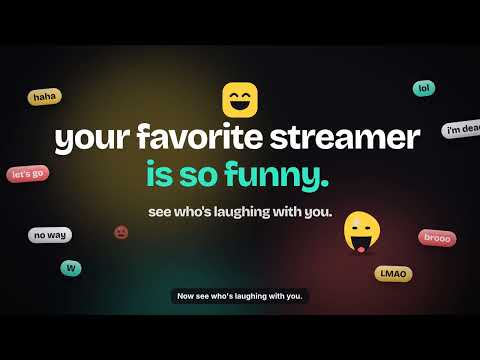
StreamLaughs — see who's laughing with you. Local audio processing and anonymous fan counts.
Your favorite streamer is so funny. See your reaction watching them. StreamLaughs is a free extension for Twitch viewers. When a moment hits, a small smiley dot on the player shows how many fans are laughing right now and the word everyone's saying. After the stream, you get your own colourful story recap. What you get • A live smiley dot on twitch.tv showing fans laughing now and the top word • Your own private recap: laughs, your biggest minute, your words, streams together • Rate the stream in two taps (anonymous; streamers only see it once 5+ fans rate) • A share card made on your device, only when you tap share • Works on live streams and VODs Private by design • Your mic audio is processed on your own PC. It is never recorded, saved or sent. • Only anonymous counts (like "laughing now") and short reaction words are shared. • No account needed. No ads in the extension. • Stream-audio mode (tab capture) is optional and off by default. What's new in 0.8.7 • Fan ratings: rate a stream from your recap, anonymous, max 3 reason chips • Better laugh and word detection with fewer false alarms • Colourful story recap and a fresh share card • Cleaner dot and fans panel, VOD support, smoother audio Not affiliated with Twitch.
0 out of 5No ratings
Details
- Version0.10.4
- UpdatedNovember 4, 2026
- Offered bykayatuzair525@gmail.com
- Size64.04MiB
- LanguagesEnglish (United States)
- Developer
Email
kayatuzair525@gmail.com - Non-traderThis developer has not identified itself as a trader. For consumers in the European Union, please note that consumer rights do not apply to contracts between you and this developer.
Privacy

StreamLaughs has disclosed the following information regarding the collection and usage of your data. More detailed information can be found in the developer's privacy policy.
StreamLaughs handles the following:
This developer declares that your data is
- Not being sold to third parties, outside of the approved use cases
- Not being used or transferred for purposes that are unrelated to the item's core functionality
- Not being used or transferred to determine creditworthiness or for lending purposes
Support
For help with questions, suggestions, or problems, visit the developer's support site