

StoreSwitch

Overview
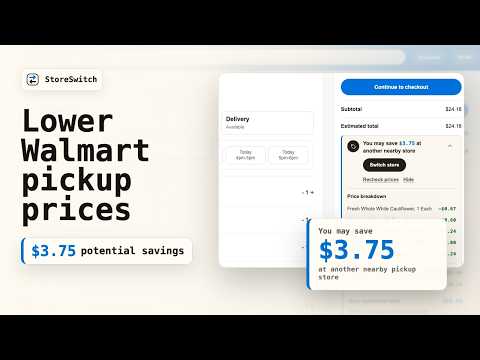
Compare nearby Walmart prices on My Items, product pages, cart, and checkout before you buy.
StoreSwitch compares nearby Walmart prices while you shop on walmart.com. It checks My Items, product pages, cart, and checkout, then shows the savings before you decide whether to switch stores. No coupon hunting, no extra account, no browsing other retailers. WHAT IT DOES - On My Items, it scans saved groceries across nearby pickup stores before you build the cart. - On a Walmart product page, it shows when a nearby pickup store has a lower price before you add the item. - In cart, it compares the full cart, shows item-level price changes, and lets you review the target store before switching. - At checkout, it confirms the selected pickup store and projected savings while Walmart still owns the final order summary. - Store switching is never automatic. You review and confirm before anything changes. WHAT IT DOES NOT DO - It does not hunt coupon codes. - It does not compare Walmart to Amazon, Target, Best Buy, or any other retailer. - It does not browse the web on your behalf or open hidden tabs. - It does not work on any site other than walmart.com. - It does not request Chrome's "cookies" permission. It only reads the page-visible Walmart cookies that walmart.com already exposes to scripts on its own pages, used to detect store changes and signed-in state. - It does not run background telemetry or analytics. Usage counters and switch history are stored locally. If you click "Send debug report," StoreSwitch sends a sanitized support report to 0th Canvas so we can troubleshoot bugs. - It does not load any code from a remote server. UNITED STATES ONLY StoreSwitch only operates on www.walmart.com (US Walmart). It does not support Walmart Canada, Walmart Mexico, or any other regional Walmart site. OPTIONAL WEEKLY DIGEST After install, the welcome page offers an optional newsletter signup ("Get our weekly Walmart deals digest"). Clicking Subscribe opens our Beehiiv hosted subscribe page in a new tab. That is the only point at which any email address would be collected, and only if you choose to enter one there. The popup also shows a small one-time CTA you can dismiss with one click; once dismissed it does not return. The extension itself never collects or transmits your email address; Beehiiv handles the list. PERMISSIONS USED - storage (local): lifetime usage counters, switch ledger so the popup can show dollars actually saved at checkout, short-lived per-store probe cache, My Items scan cache, diagnostics, and the public kill-switch configuration - Host access: *://*.walmart.com/* to compare Walmart prices, read the current Walmart page/cart/checkout/my-items data, and switch the selected pickup store only after you confirm - Host access: https://storeswitch.0thcanvas.com/* only when you explicitly click "Send debug report" Privacy policy: https://storeswitch.0thcanvas.com/privacy/
0 out of 5No ratings
Details
- Version1.1.1
- UpdatedMay 14, 2026
- Offered by0thcanvas
- Size311KiB
- LanguagesEnglish (United States)
- Developer
Email
0thcanvas@gmail.com - Non-traderThis developer has not identified itself as a trader. For consumers in the European Union, please note that consumer rights do not apply to contracts between you and this developer.
Privacy

StoreSwitch has disclosed the following information regarding the collection and usage of your data. More detailed information can be found in the developer's privacy policy.
StoreSwitch handles the following:
This developer declares that your data is
- Not being sold to third parties, outside of the approved use cases
- Not being used or transferred for purposes that are unrelated to the item's core functionality
- Not being used or transferred to determine creditworthiness or for lending purposes
Support
For help with questions, suggestions, or problems, visit the developer's support site