

Sticky Notes 3.8 - Super Quick & Personal

Descripción general
Animated Themes, Fonts, Offline, Backup, 1-Click easiest & fastest note taking app inside browser. (See demo)
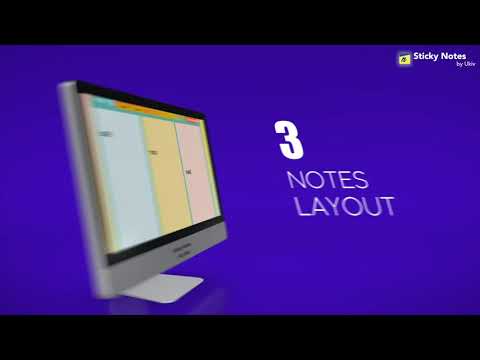
Capture your thoughts instantly without breaking your focus. Sticky Notes is the super-fast, 1-click browser memo pad trusted by over 100,000 active users worldwide. 🏆 OFFICIALLY FEATURED BY GOOGLE CHROME Recognized for adhering to Chrome Web Store recommended best practices, exceptional performance, and a proven 15-year pedigree. ⚡ WHY 100,000+ PEOPLE RELY ON STICKY NOTES • Instant 1-Click Access: No waiting, no loading screens, no heavy background processes. Click the icon in your toolbar and start typing immediately. • 100% Private & Local: Your notes belong to you. Everything is stored directly in your local browser storage—never sent to external servers, never analyzed, and never monetized. • Zero Account Friction: Start typing the second you install. No passwords, no mandatory sign-ups, and no mandatory setup wizards. • Distraction-Free Workspace: A clean, uncluttered interface that gives you the classic feel of sticky notes without covering your physical desk. ✨ CORE FEATURES 📝 Effortless Note-Taking: Instant pop-up memo pad right in your Chrome toolbar Rich text formatting: Bold, Italic, Underline, and Strikethrough Text styling with highlighters and customizable font colors Bulleted lists to easily track daily action items and checklists 🗂 Smart Management: Switch seamlessly between multiple notes Organize thoughts with customizable colored sticky notes Clean layout designed for quick skimming and rapid capture 🔒 Privacy First by Design: Works completely offline—no internet connection required No third-party ad networks 💡 PRO TIPS FOR THE BEST EXPERIENCE Pin for 1-Click Access: Click the puzzle piece icon (🧩) in your Chrome toolbar and click the pin icon (📌) next to Sticky Notes so it's always one click away. Local Storage Awareness: Because Sticky Notes is strictly private and stored locally on your machine, your data stays on this device. When managing browser data, keep your local extension storage preserved to retain all your notes. Quick Keyboard Exit: Hit Esc or click outside the note anytime to quickly dismiss the popup while keeping your edits safely saved. 🎯 IDEAL FOR: Quick Scratches: Phone numbers, addresses, verification codes, and temporary links. Meeting Notes: Fast bullet points during video calls and webinars. Daily Reminders: Today’s priority to-do list kept right at your fingertips. Writers & Researchers: Draft snippets, quotes, and research ideas without switching apps. 💬 FREQUENTLY ASKED QUESTIONS Q: Do I need to create an account? A: No! You can start taking notes immediately upon installation. Q: Does it work offline? A: Yes, 100%. Sticky Notes runs entirely within your browser and does not require an active internet connection. Q: Where are my notes stored? A: All notes are saved locally in your Chrome browser profile on your own computer. We never store or upload your notes to external servers. Thank you for supporting Sticky Notes! We are actively committed to delivering a fast, private, and dependable note-taking utility.
4,0 de 54,1 mil valoraciones
Detalles
- Versión3.8
- Actualizado17 de septiembre de 2026
- FuncionesOfrece compras en aplicaciones
- Tamaño3.54MiB
- IdiomasEnglish (United States)
- DesarrolladorSitio web
Correo electrónico
support@ukiv.com - No operadorEste desarrollador no se ha identificado como operador. Los consumidores residentes en la Unión Europea deben tener en cuenta que los derechos de los consumidores no son aplicables a los contratos que suscriban con este desarrollador.
Privacidad

Sticky Notes 3.8 - Super Quick & Personal ha revelado la siguiente información sobre la recogida y el uso de tus datos. Puedes consultar información más detallada en la privacy policy del desarrollador.
Sticky Notes 3.8 - Super Quick & Personal gestiona lo siguiente:
Este desarrollador declara que tus datos:
- No se venden a terceros, excepto en los casos de uso aprobados
- No se usan ni se transfieren para fines no relacionados con la función principal del elemento.
- No se usan ni se transfieren para determinar la situación crediticia ni para ofrecer préstamos.
Ayuda
Si tienes alguna pregunta, sugerencia o problema, abre esta página en tu navegador para ordenadores