

Sticky Notes - Capture thoughts anywhere on any web page

Tổng quan
Add sticky notes to any webpage, saved per URL.
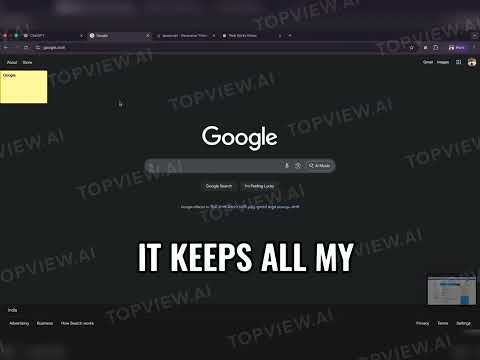
A powerful Chrome extension that allows you to create sticky notes on any webpage. Capture your thoughts, ideas, and important information while browsing without leaving the page. 🚫 No tracking: No external servers; your data stays with you. How to Use - 1. 🛠️ After installing, already opened Tab(s) will be refreshed (if any notes were on them), needed to enable Sticky Notes (with new build) on it. 2. After installing, just press * Shift + N * to create a new note on any webpage. Make sure you are not in any editable element like input, textarea, etc while using the shortcut. 3. For new Tabs, it will be enabled automatically, just press * Shift + N * to create a new note. ✨ Introduction > 💡 Ever forget that brilliant idea you had while browsing, or lose track of crucial info on a webpage? > We all used to open a million tabs 🧾 or messy docs 📄 just to save a tiny detail — it was chaos! 😵💫 > That’s why you will be obsessed with Web Sticky Notes 🗒️✨ — a total game changer for online research 🧠💻. > 🟡 Add colorful sticky notes directly onto any webpage, right where you need them. > 📌 Keep your thoughts organized, visible, and instantly accessible without switching apps! > 🌐 They even sync across tabs and devices, so your notes are always with you 💫📲 > 🙌 Stop losing your thoughts! > 🛠️ Get Web Sticky Notes and streamline your browser experience today! 🚀 ✨ Features - Quick Note Creation: Press `Shift + N` on any webpage to instantly create a sticky note - Drag & Drop: Move notes around the page by dragging them - Persistent Storage: Notes are automatically saved and persist across browser sessions - Multi-Page Support: Create notes on different websites - they're organized by URL - Easy Management: Access all your notes through the extension popup - Export Functionality: Export all your notes as JSON for backup - Keyboard Shortcuts: - `Shift + N`: Create a new note - `Shift + M`: Open notes management page - Visual Feedback: New notes are highlighted with a green glow - Responsive Design: Beautiful, modern UI that adapts to different screen sizes ## 🙏 Acknowledgments - Built with modern web technologies - Uses Chrome Extension Manifest V3 - Inspired by the need for quick note-taking while browsing
5/56 lượt xếp hạng
Chi tiết
- Phiên bản1.6
- Đã cập nhật13 tháng 11, 2025
- Kích thước51.1KiB
- Ngôn ngữEnglish
- Nhà phát triểnTrang web
Email
sahtushar@gmail.com - Người bán phi thương mạiNhà phát triển này không tự nhận mình là người bán. Đối với người tiêu dùng ở Liên minh Châu Âu, xin lưu ý rằng các quyền của người tiêu dùng không được áp dụng trong hợp đồng giữa bạn và nhà phát triển này.
Quyền riêng tư

Nhà phát triển này tuyên bố rằng dữ liệu của bạn
- Không được bán cho bên thứ ba, ngoài những trường hợp sử dụng đã được phê duyệt
- Không được sử dụng hoặc chuyển nhượng cho các mục đích không liên quan đến chức năng chính của mặt hàng
- Không được sử dụng hoặc chuyển nhượng để xác định khả năng thanh toán nợ hoặc phục vụ mục đích cho vay