

Sticky Note Web Clipper - Save Pages, Videos & Links

Overview
Save any page, video, or link as a sticky note. 100 free stickies. Sign in with Google to sync. Premium for unlimited.
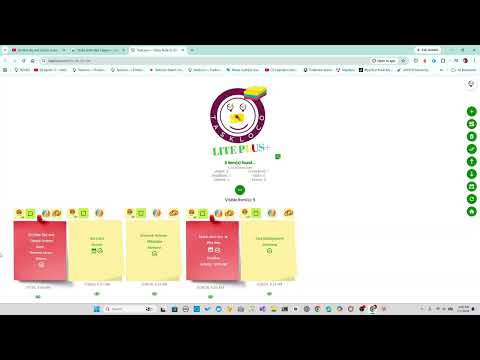
Stop losing tabs. Start saving what matters. TaskLoco - The Sticky Note GOAT proudly presents: The TaskLoco Sticky Note Web Clipper. This handy chrome extension turns any webpage, article, video, or link into a color‑coded sticky note with but a click. No typing. No forms. No copy‑paste. Just instant capture. Your saved notes land on TaskLoco Lite; visual storyboard you can scan in seconds. This extension is a lifesaver when doing common tasks like: 1. Research, projects 2. Tutorials 3. Saving YouTube videos (videos embedded automagically in every sticky note) 4. School work 5. Clearing out your tab madness 6. Recipes 7. Wiki articles 8. Just name it! Key Features • One‑click save with zero friction. • Works on webpages, YouTube videos, blog posts, docs, and links. • Color‑coded sticky notes for fast visual scanning. • Timestamped and clickable so you can jump back instantly. • Searchable board to find anything you saved, even weeks later. • No account required. • Free to start. Why people install it • Captures pages instantly without breaking your flow. • Replaces messy bookmarks and endless open tabs. • Gives you a visual board instead of a list you’ll never scroll. • Helps you keep track of sources without “organizing” anything. • Makes it easy to return to tutorials, guides, and articles you actually need. Perfect For • Research and project planning • School papers and academic sources • Startup/product/competitor digging • Tutorials and how‑to videos • Articles you plan to use later • Cleaning out the tab graveyard Install it. Give it a click. Capture the world. With TaskLoco, it's YOURS!
0 out of 5No ratings
Details
- Version1.0.6
- UpdatedAugust 17, 2026
- Size3.54MiB
- LanguagesEnglish
- DeveloperSpecusoft LLCWebsite
285 15th St APT 2A Brooklyn, NY 11215-5092 USEmail
emotionalsupport@taskloco.comPhone
+1 917-588-4891 - TraderThis developer has identified itself as a trader per the definition from the European Union and committed to only offer products or services that comply with EU laws.
- D-U-N-S028209001
Privacy

Sticky Note Web Clipper - Save Pages, Videos & Links has disclosed the following information regarding the collection and usage of your data. More detailed information can be found in the developer's privacy policy.
Sticky Note Web Clipper - Save Pages, Videos & Links handles the following:
This developer declares that your data is
- Not being sold to third parties, outside of the approved use cases
- Not being used or transferred for purposes that are unrelated to the item's core functionality
- Not being used or transferred to determine creditworthiness or for lending purposes
Support
For help with questions, suggestions, or problems, visit the developer's support site