

Stepsy: create step-by-step guide with screenshots

Overzicht
Step-by-Step Guide Creator, SOP Documentation
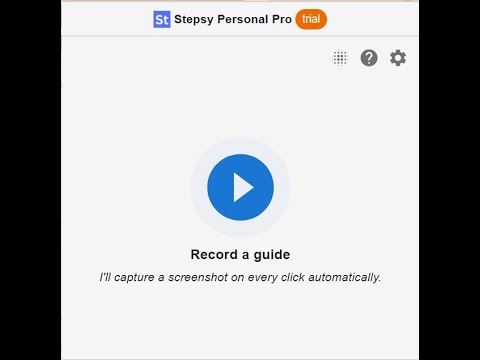
Struggle to describe your every step with screenshots in the browser manually? Welcome to Stepsy, your free AI-powered go-to solution for generating powerful, yet easy-to-understand step-by-step guides, SOPs, process tasks, or manuals, and sharing them with your colleagues and customers. Our software features have been proven to deliver exceptional results. With our intuitive interface and robust functionality, you can streamline your processes and achieve greater efficiency. Stepsy is free to use, along with Personal and Team plans to fit any team's needs. BENEFITS OF USING STEPSY: 📈 Increase data processing efficiency 📊 Improve workflow documentation accuracy ⚙️Ensure consistency across instructions ⏳ Save time of tedious work for each guide 🎯 Simplify the training and onboarding process STEPSY’S FEATURES: 📸Record your steps with screenshots on clicks: Just do your work, and we will automatically capture the screenshots with auto-generated descriptions. ✨Customize your screenshots: No need for other tools, we have a built-in image editor. ⚙️AI-tuned step descriptions and document summaries: Eliminate the need for manual repetitive text input, let us care about it. 📥Export and share via GDrive: Your guide quickly becomes shareable online via your own GDrive. 🔐Keep your screenshots safe: Your screenshots never leave YOUR space. Everything happens in YOUR browser and then gets exported directly to YOUR GDrive or YOUR local workstation. HOW TO USE STEPSY: Step 1. Get started Begin by downloading our extension for free. Step 2. Capture the process Navigate to the website you want to document. Then, open the Stepsy icon in your Chrome toolbar and click the “Record a Guide” icon to initiate the process. Once you've captured your process, you can edit and customize it with a built-in toolset. Step 3. Publish your results Simply click the “Finish and share” button and publish it as a Google Docs document directly to your Google Drive. WHO'S STEPSY FOR 👩💻Managers 👨🔧IT operations team 🤵♂️CEO & Founders 👨💼Consultants 👩💼Human Resources (HR) 👨💻Marketing Teams 👩🏫Educators & Trainers 💁🏻♀️Anyone who wants to share their knowledge! WHAT YOU CAN CREATE WITH STEPSY ✔️ Standard operating procedures (SOPs) ✔️ Step-by-step instructions ✔️ Manuals ✔️ How-to guides ✔️ Study guides & tutorials ✔️ Annotations & annotated screenshots ✔️ Roadmaps ✔️ Process documentation ✔️ New employee onboarding ✔️ Training guides ✔️ Any documentation you need! What used to take hours, now takes seconds with our free step-by-step guide creator — empowering you and your team's productivity as well as allowing you all to focus on what truly matters: innovation and growth.
4,5 van 527 beoordelingen
Details
- Versie0.16.10
- Geüpdatet8 december 2025
- FunctiesBiedt in-app aankopen
- Grootte8.0MiB
- TalenEnglish
- OntwikkelaarWebsite
E-mail
stepsy.app@gmail.com - Geen handelaarDeze ontwikkelaar heeft zichzelf niet geïdentificeerd als handelaar. Voor consumenten in de Europese Unie geldt dat consumentenrechten niet van toepassing zijn op contracten tussen jou en deze ontwikkelaar.
Privacy
Stepsy: create step-by-step guide with screenshots heeft de volgende informatie geleverd over de verzameling en het gebruik van je gegevens. Je vindt gedetailleerdere informatie in het privacy policy van de ontwikkelaar.
Stepsy: create step-by-step guide with screenshots regelt het volgende:
Deze ontwikkelaar verklaart dat je gegevens:
- Niet worden verkocht aan derden, behalve voor de goedgekeurde toepassingen
- Niet worden gebruikt of overgedragen voor doeleinden die niet zijn gerelateerd aan de kernfunctionaliteit van het item
- Niet worden gebruikt of overgedragen om de kredietwaardigheid te bepalen of voor doeleinden met betrekking tot leningen
Support
Ga naar de supportsite van de ontwikkelaar voor hulp bij vragen, suggesties of problemen