

StepRisk — Position Size & Risk Lines for Futures

Overview
Position sizing and risk lines on TopstepX, Tradovate, NinjaTrader Web, Tradesea and TradingView charts. Auto quantity & OCO.
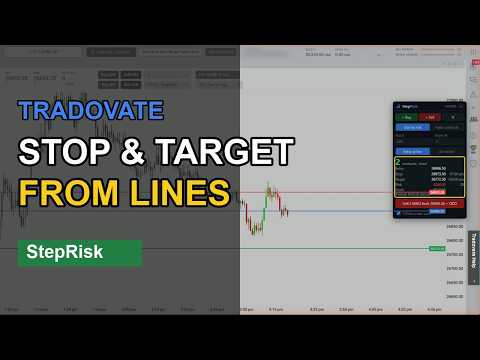
Know exactly how many contracts to trade, before you click. One oversized trade can end a funded account. StepRisk turns your stop into a position size: drag the stop on the chart and it shows how many contracts fit your risk, fills the order ticket and places the order with stop and target attached. Works on TopstepX, Tradovate, NinjaTrader Web, Tradesea and TradingView. NEW: LOCK YOUR STOP, LET THE SIZE FOLLOW PRICE Enter at market on candle close? Lock the stop under the swing low (or above the swing high) and it stays put while the entry follows the live price. The contract count is recalculated from your dollar risk on every tick, so when the candle closes you send the right size with the stop exactly where you planned it. And your commission is part of the math: enter your cost per contract once and the size, risk and profit you see are already net. HOW IT WORKS 1. Click "+ Buy" or "+ Sell". Entry, stop and target lines appear on your chart. 2. Drag the stop. The contract count updates instantly to stay within your risk. 3. Click Send twice. StepRisk fills the order ticket and places the order, at market or at your line, with stop and target. YOUR RISK ON THE CHART, NOT IN YOUR HEAD • Live dollar risk on the stop line, profit and R on the target line. • Your target follows your R multiple (1R, 2R, 3R…) as you move the stop. • Size by risk: your stop decides the size. Fixed contracts: pick the size and a dollar risk, and StepRisk places the stop and target for you. • Market mode: the lines follow the live price, so the plan is always current. Tick "Lock stop" to keep the stop fixed while the size adjusts. • Commission per contract (round trip), set once per instrument right on the panel. FROM LINES TO ORDER, WITH STOP AND TARGET • Enter at market or at your line. StepRisk picks limit or stop from where your line sits. • TopstepX, no API needed: fills type, price and size, then clicks Buy or Sell. Stop and target come from your TopstepX OCO bracket, and StepRisk warns you if none is set up. • Tradovate and NinjaTrader Web: on the NinjaTrader chart and the TradingView chart, with stop and target in ticks taken from your lines. • Tradesea: fills the Order panel (side, type, price, size, stop and target) and confirms it for you, with a stop and target preview while an order at your line is pending. • Optional ProjectX API (your own subscription): stop and target exactly where your lines are on TopstepX and TradingView, including the locked stop. BUILT FOR PROP FIRM RULES • Risk a % of your buffer to the Maximum Loss Limit (MLL), or a fixed dollar amount. • On TopstepX, reads your balance, MLL and today's realized P&L straight from the page. On Tradesea, your balance and today's P&L. • Every trade is capped by your daily loss limit and your MLL buffer, so one bad trade can't take the whole account. • Quick calculator in the toolbar popup for what-if sizing. SAFETY ON EVERY ORDER • Nothing is sent without your second click, and the confirmation shows contract, side, size and price first. • A fast double-click doesn't count as a confirmation. • If your lines change between clicks, the confirmation is canceled. • If the platform's order ticket doesn't match your order, nothing is sent and StepRisk tells you why. • With a locked stop, sending is blocked if price crosses the stop. • Per-order contract limit, and orders are blocked when the risk is above what you allowed. • Your ProjectX API key stays in your browser. It never goes to the trading page or to us. WHY TRADERS USE IT • No mental math in the heat of the moment: the size follows your stop. • The same risk on every trade, which is exactly what prop firm rules reward. • Built from trader feedback: features like the locked stop came straight from users. Works with micro and E-mini futures on the Nasdaq-100, S&P 500, gold and crude oil. On TradingView, sign-in is required, and sending orders needs real-time CME data. Languages: English and Portuguese. Video tutorials for every platform: StepRisk playlist on the ECODAA YouTube channel. Try it free for 7 days with everything unlocked (email only, no card needed), then US$ 9/month. Cancel anytime. StepRisk is an independent tool, not affiliated with or endorsed by any trading platform or prop firm. Not financial advice. Trading futures involves substantial risk of loss. You are responsible for every order you send.
0 out of 5No ratings
Details
- Version2.7.6
- UpdatedNovember 11, 2026
- Offered byAriel Morgan
- Size85.22KiB
- Languages2 languages
- Developer
Email
mrgf.ariel@gmail.com - Non-traderThis developer has not identified itself as a trader. For consumers in the European Union, please note that consumer rights do not apply to contracts between you and this developer.
Privacy

StepRisk — Position Size & Risk Lines for Futures has disclosed the following information regarding the collection and usage of your data. More detailed information can be found in the developer's privacy policy.
StepRisk — Position Size & Risk Lines for Futures handles the following:
This developer declares that your data is
- Not being sold to third parties, outside of the approved use cases
- Not being used or transferred for purposes that are unrelated to the item's core functionality
- Not being used or transferred to determine creditworthiness or for lending purposes