


Overview
Create step-by-step guides from browser work—capture screenshots + notes and export to RTF. 100% local, privacy-first.
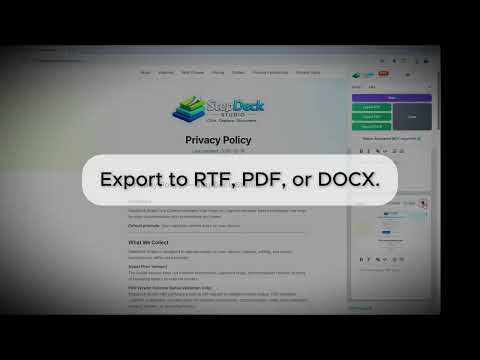
StepDeck Studio captures what you do in the browser and turns it into a clear, step-by-step guide—automatically. No AI integration and no cloud integration, everything stays on your disk, PRIVACY and SECURITY is our goal here, so your data is safe and not shared with ANYONE ! Everything runs in the Chrome side panel. Start and stop capture, switch modes, review steps, open the Session Library (PRO), export, and get Help without a cluttered overlay on the page. You can optionally dim the page while capturing to keep focus on the workflow. Click-to-capture: click on the page to record each step. StepDeck Studio records the click location, adds a visible pointer marker to the screenshot, and saves the image so instructions stay unambiguous. Prefer keyboard capture? Use Hotkey mode or the shortcuts below—no pointer marker is added when capturing via hotkey. Use it for IT runbooks, internal SOPs, onboarding guides, troubleshooting procedures, and any workflow where accuracy matters. Core features: Side panel workflow: controls, step list, and review in one place—no in-page extension sidebar Click-to-capture: Create a step with each click; pointer marker shows where to click Screenshot per step with optional rich text notes (bold, italic, lists, and more) Pause/resume to keep guides clean Capture modes: Click mode or Hotkey mode Optional dim of the page during capture Export to RTF (Assist). PDF and DOCX with PRO—embedded images and notes Local-first & privacy-first: no forced cloud upload of your captures No AI processing: your content is not sent to AI services for analysis or generation PRO highlights (1.2.4+) Session Library: browse past sessions; view, continue recording, or delete Continue recording: add more steps to an existing session, including after restart Insert between steps: place the next capture at a chosen position in the list Organized on disk: sessions under Downloads/StepDeckStudio/Sessions/<sessionId>/ with session.json and step images (metadata in IndexedDB, media on disk) Plus existing PRO benefits: native PDF/DOCX, autosave ZIP, higher step limits per part, email-based licensing, and more—see the product site for details How it works Open the StepDeck Studio side panel (toolbar icon). Choose Click mode or Hotkey mode and click Start Capture. Capture each step (click or shortcut). Add or edit notes; pause or resume as needed. Finish and export a ready-to-share document (RTF on Assist; PDF/DOCX on PRO). Keyboard shortcuts (optional) No marker is added to the screenshot when using shortcuts. Capture step: Ctrl+Shift+Y (Mac: Command+Shift+Y) Pause/Resume: Ctrl+Shift+U (Mac: Command+Shift+U) Finish & Export: Ctrl+Shift+I (Mac: Command+Shift+I) Why install StepDeck Studio? Security and safety is our primary focus as there is NO AI integration and NO cloud upload of your images and information Stop manually stitching screenshots into documents Make procedures clearer with visible click targets Reduce back-and-forth with consistent, easy-to-follow guides Keep the capture experience in the side panel so the page stays usable Privacy (local-first, no AI processing) StepDeck Studio is designed for a local-first workflow: Captured steps, screenshots, and notes stay on your device No capture content is uploaded to someone's cloud No AI processing (your content is not sent to AI services) Outbound communication (PRO only): If you are licensed for PRO features, StepDeck Studio performs a license validity check periodically (for example, every 7 days). This check is used only to confirm entitlement to PRO features. Assist does not perform licensing checks. No captured steps, screenshots, notes, exports, or browsing history are transmitted as part of license validation. Optional: StepDeck Studio PRO PRO adds advanced features via license activation, including Session Library, continue recording, insert-between-steps, and native PDF/DOCX export and deep image editing. Ongoing enhancements and advanced capabilities are described on the product website.
0 out of 5No ratings
Details
- Version1.2.4.500
- UpdatedMarch 27, 2026
- FeaturesOffers in-app purchases
- Size1.14MiB
- LanguagesEnglish
- DeveloperWebsite
Email
developer@stepdeckstudio.com - Non-traderThis developer has not identified itself as a trader. For consumers in the European Union, please note that consumer rights do not apply to contracts between you and this developer.
Privacy

This developer declares that your data is
- Not being sold to third parties, outside of the approved use cases
- Not being used or transferred for purposes that are unrelated to the item's core functionality
- Not being used or transferred to determine creditworthiness or for lending purposes
Support
For help with questions, suggestions, or problems, visit the developer's support site