

Stele: Screenshot to Code, Save UI Inspiration

Overview
Capture any element, page, or recording from the web and turn it into clean code, design tokens, and an editable canvas.
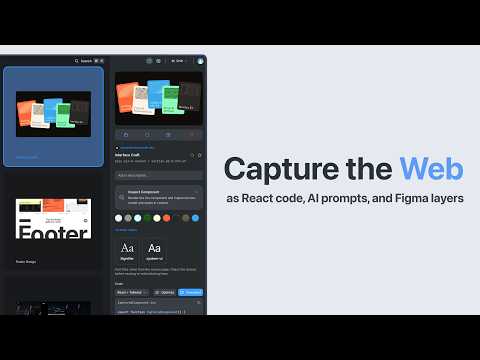
Capture the web as React code, AI prompts, and Figma layers. Stele is not a bookmarking tool. It is a structural capture engine and spatial canvas built exclusively for frontend developers and UI designers. Instead of saving static screenshots or chaotic folders of links, Stele parses the live DOM. When you capture a component, Stele freezes its exact HTML, CSS, and structural DNA, turning fleeting inspiration into permanent, production-ready assets. Why install Stele: • DOM-Level Capture: Go beyond screenshots. Extract the exact React code, CSS, and layout structure of any live UI component with a single click. • Auto-Extract Design Tokens: Instantly pull typography rules, spacing, and color variables directly from the source, ready to drop into your project. • Instant WCAG Audits: Inspect beyond the surface. Automatically check color contrast, focus boundaries, and full axe-core accessibility compliance. • Your Private UI Library: Everything you capture lands on an infinite spatial canvas. Organize interactive components, code snippets, and design patterns without the friction of traditional folders. Built by a solo frontend engineer for developers who actually want to build with their inspiration, not just admire it. If you've ever lost a great design pattern to a site update, Stele ensures you never lose a component again. *Requires a free Stele account.
5 out of 52 ratings
Details
- Version0.1.3
- UpdatedSeptember 3, 2026
- FeaturesOffers in-app purchases
- Size1014KiB
- LanguagesEnglish
- DeveloperWebsite
Email
support@stele.so - Non-traderThis developer has not identified itself as a trader. For consumers in the European Union, please note that consumer rights do not apply to contracts between you and this developer.
Privacy

Stele: Screenshot to Code, Save UI Inspiration has disclosed the following information regarding the collection and usage of your data. More detailed information can be found in the developer's privacy policy.
Stele: Screenshot to Code, Save UI Inspiration handles the following:
This developer declares that your data is
- Not being sold to third parties, outside of the approved use cases
- Not being used or transferred for purposes that are unrelated to the item's core functionality
- Not being used or transferred to determine creditworthiness or for lending purposes
Support
For help with questions, suggestions, or problems, visit the developer's support site