


Overview
Set up Stay Green On Teams in seconds — captures your Microsoft Teams session and hands it off to the app.
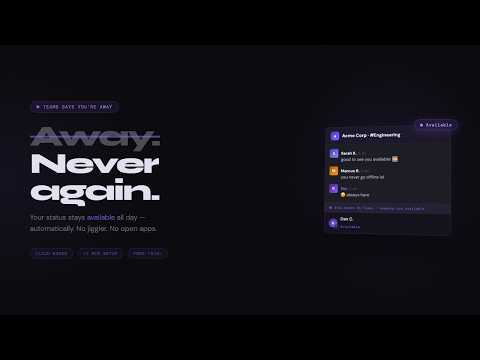
Stay Green On Teams keeps your Microsoft Teams status active — even when your laptop is closed, the tab is gone, or you step away from your desk. Most "stay active" tools run on your computer. The moment you close your laptop or kill the browser, your status goes away. Stay Green On Teams runs entirely in the cloud, so it works around the clock without any local process, background app, or open tab. HOW IT WORKS 1. Install this extension 2. Open Teams in your browser (teams.cloud.microsoft for work, teams.live.com for personal) 3. Click the extension icon and hit Connect 4. You'll be redirected to staygreenonslack.com to finish setup That's it. The extension reads your Teams credentials automatically — no DevTools, no copy-pasting tokens. Your first setup takes under 60 seconds and you'll never have to do it again. FEATURES • Always-on cloud presence — your status stays green 24/7 with no device running • Works with work and personal Microsoft accounts — both are supported • Smart scheduling — set working hours and days so it only runs when you'd actually be online • Timezone support — works correctly across any timezone • Nothing for IT to flag — no local process, no desktop app, no browser extension running in the background WHY IT MATTERS Teams marks you as away after a period of inactivity — and if you work across multiple screens, step away from your desk, or close your laptop, you'll show as away to your team even when you're available. Stay Green On Teams solves this permanently — not with a workaround that breaks the moment you close your browser, but with a persistent cloud connection that keeps your presence active on your schedule. PRIVACY This extension only reads your Teams session credentials when you explicitly click Connect. Your credentials are transmitted securely to our servers and used solely to maintain your Teams presence. We do not read your messages, channels, or any other Teams data. See our full privacy policy at staygreenonslack.com/privacy. Note: Coverage for work/school accounts varies by IT policy. Personal Microsoft accounts always receive full 24/7 coverage. Your dashboard will show exactly what applies to your account.
5 out of 55 ratings
Details
- Version1.0.3
- UpdatedJuly 21, 2026
- Size28.77KiB
- LanguagesEnglish
- DeveloperWebsite
Email
danielgerardchong@icloud.com - Non-traderThis developer has not identified itself as a trader. For consumers in the European Union, please note that consumer rights do not apply to contracts between you and this developer.
Privacy

Stay Green On Teams has disclosed the following information regarding the collection and usage of your data. More detailed information can be found in the developer's privacy policy.
Stay Green On Teams handles the following:
This developer declares that your data is
- Not being sold to third parties, outside of the approved use cases
- Not being used or transferred for purposes that are unrelated to the item's core functionality
- Not being used or transferred to determine creditworthiness or for lending purposes
Support
For help with questions, suggestions, or problems, visit the developer's support site