

Overview
Service, subscription, and resource management for developers juggling multiple projects
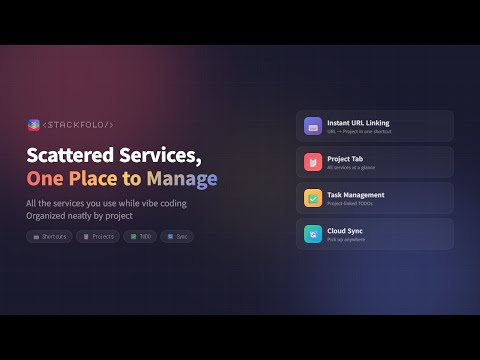
Scattered service dashboards, code snippets, and references across projects? Bring them all into one place and cut your context switching costs. Use it right from your browser's side panel. StackFolo is an all-in-one project management & self-management tool for indie developers. Access it from the side panel and new tab dashboard. — Core Features — [Service Link Management] Organize service dashboards like Firebase, Vercel, Stripe, and AWS by project. Favicons are detected automatically, and one click takes you straight to the service dashboard. Add per-service memos to remember what you configured. [Quick Open Presets] Create up to 3 quick-open presets per project. Press one preset button and all registered links open simultaneously in new tabs. For example, register Firebase Console, Vercel Dashboard, and Google Analytics under a "Deploy Check" preset to open them all at once. [Project Snippets] Save frequently used code, SQL queries, API endpoints, and environment variables per project. Click a snippet to copy it to your clipboard instantly. Global snippets are also supported for things you use across all projects. [Quick Memo] A notepad that opens right from the logo menu. Quickly jot down ideas or temporary notes while working. Auto-saved, and one-click copy. — Project Management — [Project Cards] Manage side projects, SaaS, and learning projects as visual cards. Classify by type (Personal, SaaS, Learning, etc.) and status (Active, On Hold, Completed, Archived). Connect a GitHub repo to pull commit history automatically. [Folder Organization] Organize projects into folders with custom names and colors, and move them with drag and drop. — Goals & Productivity — [Goals & Milestones] Set start and target dates, then break goals into milestones. Arrange them on a Gantt timeline with drag and drop. Choose from 15+ templates (Ship MVP, Product Hunt Launch, etc.). AI auto-generates milestones from a goal description. [Habits & Weekly Timetable] Log daily habits and build streaks. Place habit blocks on a weekly timetable with drag and drop. AI generates an optimized weekly schedule from your habit list. [Reports & Daily Logs] Record mood, satisfaction, sleep, and focus time. Write a one-liner journal to capture the day. Compare trends in weekly, monthly, quarterly, and yearly reports. AI generates period insight reports. — Resources & Tracking — [Resource Archive] Categorize web links under 16 purposes (Reference, Tutorial, Bug Fix, API, etc.), rate them 1-5 stars, and tag with keywords to build your own reference library. [Timeline] View GitHub commits, tasks, archives, and service changes in one chronological feed. Filter by project, event type, or time period. [Subscription Tracking] Register SaaS subscriptions like GitHub Copilot, ChatGPT, and Notion. Monthly and yearly totals are calculated automatically with currency conversion. See upcoming billing dates at a glance. — Dashboard & AI — [New Tab Dashboard] Open a new tab to see goals, habits, recent projects, and deadlines in one dashboard. Includes dedicated views for Gantt, timetable, archives, subscriptions, and reports, plus various themes. [AI Features] AI Smart Save analyzes webpages to auto-extract purpose, memo, rating, and keywords. AI Daily Report, WBS auto-generation, auto-timetable, and period insight reports are all available. All AI features work on both Free (30 uses/month) and PRO (300 uses/month) — only the usage quota differs. [Cloud Sync] Sign in with Google once, and your data syncs to Firebase cloud automatically. Keep the same data across PC, laptop, and any device. [More] Customizable keyboard shortcuts and support for 8 languages. — How to Use — 1. Click "Add to Chrome" and pin it to your toolbar 2. Click the extension icon to open the side panel 3. Add your first project and organize your service links 4. Open a new tab for the full dashboard 5. Sign in with Google to enable AI features and cloud sync — Perfect For — - Developers wasting time hunting down service dashboards across multiple side projects - Anyone who wants to organize Firebase, Vercel, AWS, Stripe and other services by project - Anyone who wants goals, habits, and self-management alongside their projects - Anyone who wants an all-in-one productivity hub in their browser — FAQ — Q. Is it free to use? A. Yes. All features including AI are free (up to 5 projects, 100 resources, 5 goals, 30 AI uses/month). PRO offers unlimited usage and more AI quota (300 uses/month). Q. Where is my data stored? A. When signed in with Google, data syncs automatically to Firebase cloud. Without sign-in, data is stored in browser local storage. Q. Which browsers are supported? A. All Chromium-based browsers: Chrome, Edge, Brave, Arc, and more. Q. Can I import existing data? A. Yes. Export and import data as JSON files in settings. — Contact — info@stackfolo.com
0 out of 5No ratings
Details
- Version0.0.10.0
- UpdatedSeptember 30, 2026
- FeaturesOffers in-app purchases
- Size2.42MiB
- Languages8 languages
- DeveloperWebsite
Email
info@stackfolo.com - Non-traderThis developer has not identified itself as a trader. For consumers in the European Union, please note that consumer rights do not apply to contracts between you and this developer.
Privacy

STACKFOLO has disclosed the following information regarding the collection and usage of your data. More detailed information can be found in the developer's privacy policy.
STACKFOLO handles the following:
This developer declares that your data is
- Not being sold to third parties, outside of the approved use cases
- Not being used or transferred for purposes that are unrelated to the item's core functionality
- Not being used or transferred to determine creditworthiness or for lending purposes