

SRM Academia Toolkit
29 ratings
)
Overview
See your attendance margin on the SRM Student Portal and Academia, and auto-fill Academia course feedback forms.
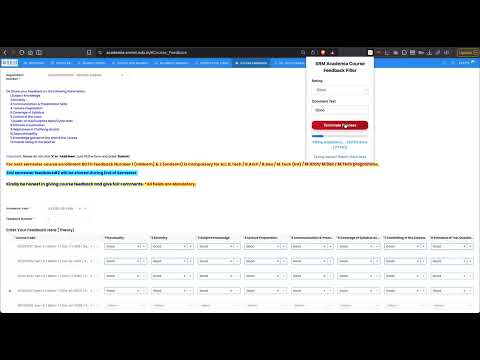
SRM Academia Toolkit helps SRM students with two everyday chores on the student portals: filling course feedback forms, and knowing exactly how many classes they can afford to miss. COURSE FEEDBACK FILLER: On the SRM Academia Course Feedback page: 1. Open the Course Feedback page 2. Click the extension icon 3. Select your rating and enter your comment 4. Click "Fill Feedback Form", review, and submit manually if satisfied It auto-selects ratings and fills comment boxes in under two seconds, and never auto-submits. The final submission is always yours. ATTENDANCE MARGIN: Adds a "Margin" column to the attendance table on both the SRM Academia portal and the SRM Student Portal. It shows how many more classes you can miss while staying at 75%: green when you have room to spare, amber when you are exactly at the limit, and red with the number of classes you need to attend to get back above 75%. No clicks needed; the column appears automatically. PRIVACY: Runs entirely in your browser. No login, no accounts, no servers, no analytics. Your rating and comment preferences are stored locally on your device. Your attendance and marks are read only to draw the margin column on the page you are already looking at, and are never stored or transmitted. Disclaimer: Use responsibly and provide honest feedback.
5 out of 529 ratings
Details
- Version1.6.0
- UpdatedSeptember 14, 2026
- Offered byKrishna Somani
- Size78.04KiB
- LanguagesEnglish
- DeveloperKrishna Somani
Elcot Avenue Chennai, Tamil Nadu 600119 INEmail
krishnasomani272005@gmail.com - Non-traderThis developer has not identified itself as a trader. For consumers in the European Union, please note that consumer rights do not apply to contracts between you and this developer.
Privacy

SRM Academia Toolkit has disclosed the following information regarding the collection and usage of your data. More detailed information can be found in the developer's privacy policy.
SRM Academia Toolkit handles the following:
This developer declares that your data is
- Not being sold to third parties, outside of the approved use cases
- Not being used or transferred for purposes that are unrelated to the item's core functionality
- Not being used or transferred to determine creditworthiness or for lending purposes