

SQLite Editor and Compiler

Обзор
Run SQL code for immediate preview of tables, columns and values
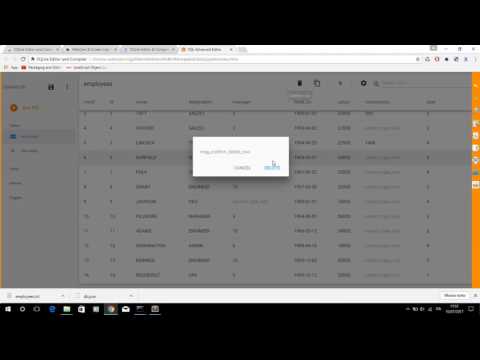
A valuable SQLite editor for your Browser Chrome with a useful button to compile the code sql for immediate preview of tables, columns and values. ======= - Release 2.2.1 - Resize png icons - Release 2.2.0 - Reorganization of the buttons in the toolbar of the basic editor. The full-screen function is now available for both the basic and advanced editors - Release 2.1.2 - Fixed bug to import file in basic SQLIte editor - Release 2.1.1 - Removed some permissions not required from file manifest of extension - Release 2.0.1: Open Advanced SQL Editor using context menu or black top button in main page - Release 1.4.1: CTRL-space key shortcuts to autocomplete SQL statements - Release 1.4.0: Compile your SQL code as JSON format with advanced validation == Installation == Install component directly in your Browser Chrome and click corresponding icon of the new extension in address bar - SQLite Highlight code editor with advanced search strings - Undo and redo - Search and Replace and Jump to line - Compilation and code validation and immediate preview of SQLite tables - Export the database in sqlite and txt - Import the file in sqlite and txt - Save results in html and pdf - Share queries and tables compiled via email - Release 1.3.2: Added search input in file list - Release 1.3.0: Added button to export Code to PDF - Release 1.2.0: Cloud Print code by Google (this function work online) and save project sql in Chrome File System - Release 1.0.3: Keyboard shortcuts to search and replace string
3,7 из 53 оценки
Подробности
- Версия2.2.5
- Обновлено8 октября 2023 г.
- Размер3.69MiB
- ЯзыкиEnglish
- Разработчик
- Не продавецРазработчик не указал для себя статус продавца. Просим клиентов из Европейского союза обратить внимание, что на сделки между вами и этим разработчиком не распространяются законы о защите прав потребителей.
Конфиденциальность
Этот разработчик утверждает, что ваши данные:
- Не продаются третьим лицам, за исключением разрешенных вариантов использования
- Не используются и не передаются в целях, не связанных с работой основных функций продукта
- Не используются и не передаются для определения платежеспособности или в целях кредитования
Поддержка
Чтобы сообщить об ошибках в работе продукта, задать вопрос или поделиться идеями, откройте эту страницу в браузере для компьютера.