


總覽
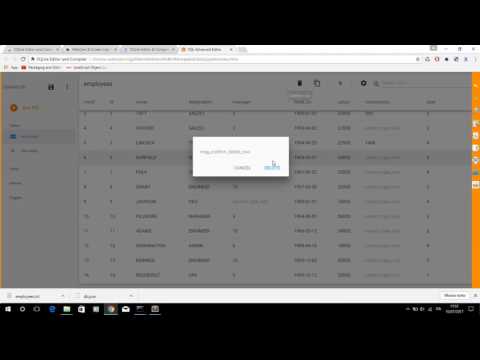
Run SQL code for immediate preview of tables, columns and values
A valuable SQLite editor for your Browser Chrome with a useful button to compile the code sql for immediate preview of tables, columns and values. ======= - Release 2.2.1 - Resize png icons - Release 2.2.0 - Reorganization of the buttons in the toolbar of the basic editor. The full-screen function is now available for both the basic and advanced editors - Release 2.1.2 - Fixed bug to import file in basic SQLIte editor - Release 2.1.1 - Removed some permissions not required from file manifest of extension - Release 2.0.1: Open Advanced SQL Editor using context menu or black top button in main page - Release 1.4.1: CTRL-space key shortcuts to autocomplete SQL statements - Release 1.4.0: Compile your SQL code as JSON format with advanced validation == Installation == Install component directly in your Browser Chrome and click corresponding icon of the new extension in address bar - SQLite Highlight code editor with advanced search strings - Undo and redo - Search and Replace and Jump to line - Compilation and code validation and immediate preview of SQLite tables - Export the database in sqlite and txt - Import the file in sqlite and txt - Save results in html and pdf - Share queries and tables compiled via email - Release 1.3.2: Added search input in file list - Release 1.3.0: Added button to export Code to PDF - Release 1.2.0: Cloud Print code by Google (this function work online) and save project sql in Chrome File System - Release 1.0.3: Keyboard shortcuts to search and replace string
3.7 分 (滿分 5 分)3 個評分
詳細資料
隱私權
這位開發者就你的資料做出下列聲明:
- 除經核准的用途外,不會將你的資料販售給第三方
- 不會基於與商品核心功能無關的目的,使用或轉移資料
- 不會為了確認信用度或基於貸款目的,使用或轉移資料
支援
如有疑問或建議,請使用電腦版瀏覽器開啟這個頁面