


Overview
Skip sponsor segments in YouTube videos automatically. AI finds the sponsor read in the captions, even on brand-new videos.
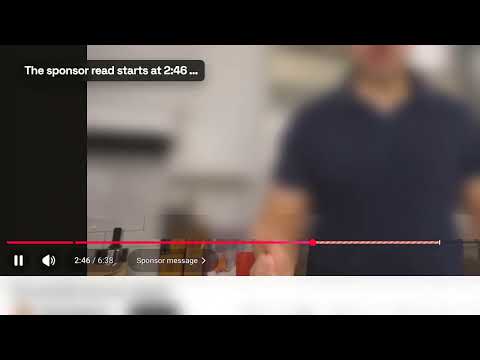
Skip YouTube sponsors automatically. SponsorSkip finds the sponsor read in a video's captions and jumps past it, cut on the spoken word, even on brand-new videos. You pressed play for the video, not for another VPN, mattress or app pitch. SponsorSkip is a YouTube sponsor skipper for Chrome: it detects creator-read sponsor segments and skips them while you watch. If a skip is ever wrong, one click on Undo takes you straight back. WHY SPONSORSKIP • Auto skip sponsor segments: no buttons, no tapping through the ad • Works on brand-new videos as soon as captions are available, with no waiting for someone to tag the sponsorship • Cuts on the word: the skip starts where the sponsor read starts and ends where it ends • One-click Undo for any skip • Sponsor segments marked on YouTube's own progress bar • Optional: also skip self-promotion such as memberships, courses and merch • Searchable transcript in Chrome's side panel: find any line and click to jump there HOW IT WORKS 1. Install SponsorSkip and sign in with Google. Your first 20 videos are free, no card needed. 2. Open any English YouTube video with captions. 3. SponsorSkip reads the captions, finds the sponsor segment and skips it while you watch. Videos that someone already analyzed are reused instantly. Only new videos are analyzed by AI. A SPONSORBLOCK ALTERNATIVE THAT DOESN'T WAIT FOR TAGS Community tools like SponsorBlock depend on viewers marking each sponsorship by hand, so new videos are often unmarked and hand-set tags can start early or end late. SponsorSkip reads each video's transcript itself. In our September 2026 test on 20 new English videos, it skipped 95% of sponsor time automatically. SponsorSkip is not affiliated with SponsorBlock. PLANS • Free: your first 20 videos, no card needed • Pro: up to 200 new videos a month, $5.99/month or $49.99/year • Ultra: up to 1,000 new videos a month, analyzed first when it's busy, $12.99/month or $129.99/year Videos already analyzed, by you or anyone else, don't use your Pro or Ultra allowance. Prices in USD; tax and local currency are calculated at checkout by Paddle. Cancel anytime. GOOD TO KNOW • SponsorSkip is a sponsor blocker for the ad reads inside videos. It does not block YouTube's own ads, and YouTube Premium doesn't remove sponsor reads either. • English videos with captions are supported for now. Music videos, Shorts and live streams are not analyzed. • Unclear passages are shown for manual skipping instead of being skipped automatically. PRIVACY After you sign in with Google, the extension sends the video's captions, video ID, title and channel name to the SponsorSkip backend. Google only shares your name, email address and profile picture with us; there is no access to your YouTube history or Gmail. Caption text is stored only temporarily for the analysis. Details: https://sponsorskip.app/privacy Support: https://sponsorskip.app/support SponsorSkip is an independent product by Creststone Advisory LLC. It is not affiliated with, endorsed by, or sponsored by YouTube or Google.
3.7 out of 53 ratings
Details
- Version0.1.15
- UpdatedOctober 14, 2026
- FeaturesOffers in-app purchases
- Size491KiB
- LanguagesEnglish
- DeveloperCreststone Advisory LLC`Website
30 N Gould St Ste. N Sheridan, WY 82801-6317 USEmail
support@sponsorskip.appPhone
+62 811-2898-7474 - TraderThis developer has identified itself as a trader per the definition from the European Union and committed to only offer products or services that comply with EU laws.
- D-U-N-S145771181
Privacy

SponsorSkip: Auto Skip YouTube Sponsors has disclosed the following information regarding the collection and usage of your data. More detailed information can be found in the developer's privacy policy.
SponsorSkip: Auto Skip YouTube Sponsors handles the following:
This developer declares that your data is
- Not being sold to third parties, outside of the approved use cases
- Not being used or transferred for purposes that are unrelated to the item's core functionality
- Not being used or transferred to determine creditworthiness or for lending purposes
Support
For help with questions, suggestions, or problems, visit the developer's support site