


Overview
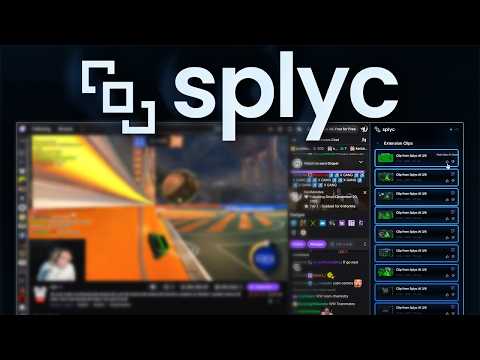
Splyc automates livestream clipping — turning one stream into dozens of short-form clips shared across social media.
Splyc+ is the official Splyc browser extension. It is for creators and teams who want to capture segments from supported live streams in the browser and continue in Splyc—edit, add captions and overlays, then export or queue uploads to connected social accounts where available. Splyc is the web application: clip library, timeline editor (trim, segments, captions/styles, credits/overlays where available), and workflows to export or publish to connected platforms based on your account setup. Splyc+ is how many users get clips into Splyc from the live tab; Splyc is where those clips are finished and distributed. How it works On supported live pages, Splyc+ can maintain a rolling buffer of recent audio/video. When something clip-worthy happens, you use the extension’s clip action and select how far back to capture (e.g. common presets such as 30s / 60s / 90s / 2 minutes, subject to product limits). The clip is associated with your Splyc account and appears in Splyc for review and editing. Capture modes Stream-focused capture uses the video player where supported (quality and behavior depend on the site and browser permissions). Full-tab / window-style capture records what is visible in the capture surface (useful when a site’s player path is constrained). Modes are not interchangeable; choose the one that matches the stream and your quality needs. Notable features One-click (or shortcut-driven) clipping from a rolling buffer on supported streams Multi-platform support on Twitch, Kick, and YouTube Live where enabled (support evolves by platform and URL rules) Pump.fun and other destinations only where explicitly supported by the current extension version Clip history / recent clips accessible from the extension UI Account connection via personal API key from Splyc Settings → Extension (recommended flow) Clips sync to Splyc Clip Manager for editing, share links, and uploads per your plan and connected accounts Requirements An active Splyc+ subscription (or equivalent tier that unlocks the extension) A valid Splyc+ extension API key generated from your account Privacy policy: https://splyc.app/legal/privacy Community: https://discord.gg/splyc Support: support@splyc.app
5 out of 52 ratings
Details
- Version2.1
- UpdatedJune 26, 2026
- FeaturesOffers in-app purchases
- Size50.89MiB
- LanguagesEnglish (United States)
- Developer
- Non-traderThis developer has not identified itself as a trader. For consumers in the European Union, please note that consumer rights do not apply to contracts between you and this developer.
Privacy

Splyc+ has disclosed the following information regarding the collection and usage of your data. More detailed information can be found in the developer's privacy policy.
Splyc+ handles the following:
This developer declares that your data is
- Not being sold to third parties, outside of the approved use cases
- Not being used or transferred for purposes that are unrelated to the item's core functionality
- Not being used or transferred to determine creditworthiness or for lending purposes
Support
For help with questions, suggestions, or problems, please open this page on your desktop browser