


概述
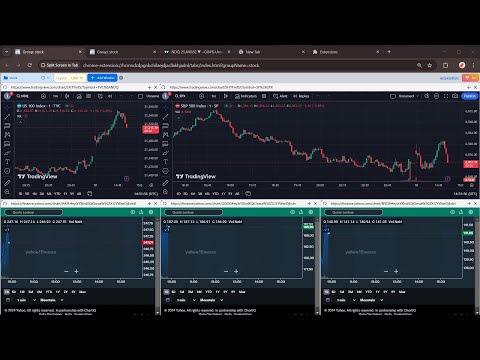
拆分视图在一个选项卡!多任务与ChatGPT,克劳德,双子座,TradingView和更多!
Why install? 🌟 Seamless ChatGPT experience 🌟 Take notes while browsing 🌟 Compare documents without switching between tabs 🌟 Gather information from multiple sources while creating content 🌟 Monitor multiple stocks or cryptocurrencies simultaneously 🌟 More... Features 🌟 Side Panel: Open ChatGPT for a seamless AI experience (writing, email replies, image generation, etc.). 🌟 Layout: Horizontal, Vertical, and Custom Drag & Resize layouts. 🌟 Group: Store websites and open them quickly in a tab, like for multiple social media postings. 🌟 Context Menu: Right-click to open the Side Panel, Group, or Template. 🌟 Shortcut: "Ctrl+Shift+S" to open the Side Panel. (Changeable in FAQs.) 🌟 Import Tabs: Quickly import opened tabs 🌟 Open link in Side Panel: right click the link and select the context menu. 🌟 Auto Refresh: Set the time to auto refresh (etc, stock group). FAQs 🤔Is It Free? -- Free Tier already Covers Most Needs.😊💖 -- Upgrade to Pro for more Custom Groups. Go Pro and help us build even more features!💪✨ 🤔Change Shortcut⌨️ -- Use the shortcut button on the top toolbar to manage more. -- Mac shortcut: Command+Shift+S 🤔Security Testing🛡️ -- Here is a link to test that iframe won't be globally cross-origin when using this extension: https://tools.wow2fun.com/splitScreen Normally, you will see 'chatgpt.com' refuse to connect, which indicates enhanced security enforced by the browser. 🤔Need More Help? -- Click the "Visit support hub" below or email me. 📝If you’re happy with our service, please consider leaving us a review below!⭐ Your feedback helps us improve and supports our growth🌱. Thank you!🤝
4.1 星(5 星制)8 个评分
详情
隐私权

该开发者已声明,您的数据:
- 不会因未获批准的用途出售给第三方
- 不会为实现与产品核心功能无关的目的而使用或转移
- 不会为确定信用度或放贷目的而使用或转移
支持
若有任何疑问、建议或问题,请在桌面浏览器中打开此页面