

SpeedMeter – Internet Speed Test

Overview
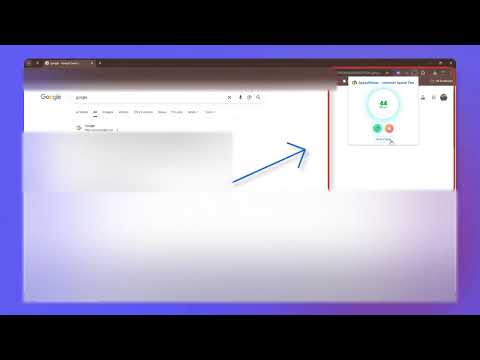
One‑click internet speed test with animated circular meter and optional floating popup.
⚡ SpeedMeter – Modern Internet Speed Test Check your real-time internet speed instantly — right from your browser! SpeedMeter is a sleek, floating internet speed tester inspired by Fast.com, designed for simplicity, accuracy, and style. It lets you monitor your live download speed in a smooth, circular display that you can move anywhere on your screen. 🌐 Features 🚀 One-click Speed Test — Measure your download speed instantly from the extension popup. 💫 Real-time Animated Display — Watch your speed update dynamically with realistic random values until the real result arrives. 🪄 Floating Popup Mode — A small, draggable round popup stays on your screen showing live internet speed. 👁️ Show or Hide Anytime — Easily toggle the floating popup visibility from the extension popup menu (visible by default). ⚙️ Fast & Lightweight — Runs smoothly with minimal memory usage and no background bloat. 💡 Smart Simulation Mode — Randomized animation mimics realistic speed fluctuations while the actual result loads. 🔒 Privacy Friendly SpeedMeter uses Cloudflare’s public speed test API to measure your internet speed. ✅ No account required ✅ No personal data or history collected ✅ No ads, no tracking, no analytics 🧭 Why You Need It This extension is perfect for: 🧑💻 Developers — Quickly check connection speed while working on projects. 🎮 Gamers — Monitor network stability before playing online. 🎥 Streamers — Ensure consistent speed before going live or uploading. 👨💼 Remote Workers — Instantly verify your internet quality during meetings. 🌍 Everyday Users — Detect slow Wi-Fi or broadband issues instantly without opening websites. ✨ Highlights ✔️ Beautiful, modern UI with smooth circular animations ✔️ Draggable mini speed indicator overlay ✔️ Toggle popup visibility anytime ✔️ Fast results with random simulation feedback ✔️ Works instantly — no setup required Experience the fastest, cleanest, and most intuitive way to monitor your internet speed — right inside Chrome.
0 out of 5No ratings
Details
- Version1.0.2
- UpdatedNovember 3, 2025
- Offered byitsmusman1
- Size34.34KiB
- LanguagesEnglish
- DeveloperMuhammad Usman
Street 1 Khuram Chorera Tehsil Pindi Bhattian District Hafizabad 52180 PKEmail
itsmusman1@gmail.comPhone
+92 344 6153337 - TraderThis developer has identified itself as a trader per the definition from the European Union and committed to only offer products or services that comply with EU laws.
Privacy

This developer declares that your data is
- Not being sold to third parties, outside of the approved use cases
- Not being used or transferred for purposes that are unrelated to the item's core functionality
- Not being used or transferred to determine creditworthiness or for lending purposes