

Speed Reading
평점 6개
)
개요
Chrome Extension for Speed Reading
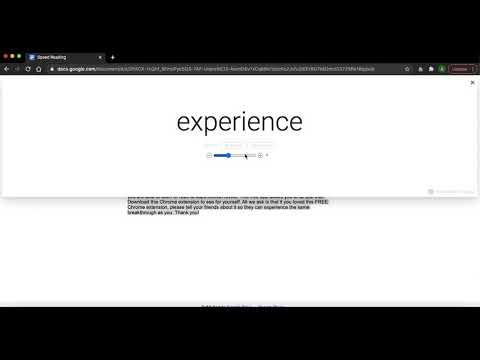
100% FREE - Chrome extension for speed reading and focus reading. Works on ANY text in your browser. Articles, eBooks, PDFs, blogs and more are compatible with Speed Reader. HOW IT WORKS 1) Select the text you want to speed read 2) Right click the selection and click "Launch Speed Reader" 3) Choose your desired speed and click PLAY! WHAT IT DOES: Words will be displayed one-by-one at an adjustable speed. By displaying words one by one, you will be able to read selected text dramatically faster than traditional reading. Give it a try, its free! You can stop, or rewind words if needed. When you are done, you will receive a report telling you the Words Per Minute rate that you just read. Imagine being able to read 400% to 900% faster than you do today. what would you be able to accomplish in life? What would you be able to learn? The fact is, when your eyes don't have to move across a page, you can consume words and information at speeds never before thought possible. Think of all the ways that your life could be improved if you are able to learn or read at superhuman levels. This free app allows you to do just that. ADD this Chrome extension to see for yourself. All we ask is that if you loved this FREE Chrome extension, please tell your friends about it so they can experience the same breakthrough as you. Thank you!
5점 만점에 3.8점평점 6개
세부정보
- 버전0.1
- 업데이트됨2021년 4월 11일
- 제공Alister Inc
- 크기106KiB
- 언어English (United States)
- 개발자
이메일
alistershirazi@gmail.com - 비판매자판매자로 식별되지 않은 개발자입니다. 유럽 연합에 거주하는 소비자의 경우, 이 개발자와 체결한 계약에 대해서는 소비자 권리가 적용되지 않을 수 있음을 유의해야 합니다.
개인정보 보호

Speed Reading에서 데이터 수집 및 사용과 관련하여 다음 정보를 공개했습니다. 더 자세한 정보는 개발자의 privacy policy을 참고하세요.
Speed Reading 항목은 다음을 처리합니다.
개발자가 사용자 데이터에 관해 다음과 같이 선언했습니다
- 승인된 사용 사례를 제외하고 서드 파티에 판매하지 않음
- 항목의 핵심 기능과 관련 없는 목적으로 사용하거나 전송하지 않음
- 신용도 판단 또는 대출 목적으로 사용하거나 전송하지 않음
지원
질문, 제안 또는 문제와 관련하여 도움이 필요하면 데스크톱 브라우저에서 이 페이지를 여세요.