


總覽
An easy to use speech synthesis and recognition tool for your browser!
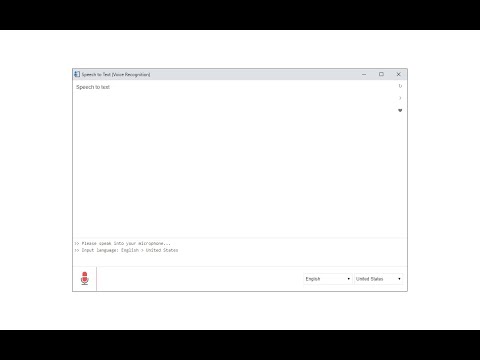
Speech to Text (Voice Recognition) is an extension that helps you convert your speech to text by using two different speech recognition engines. The 1st engine is the HTML5 native web speech API for audio transcribing. It is active in most modern browsers by default (more info: https://webaudio.github.io/web-speech-api/). The 2nd API is the Whisper AI engine, which uses a new artificial intelligence method to transcribe audio (more info: https://huggingface.co/onnx-community/whisper-base). Please note that when you choose Whisper AI, the app needs to download training data (~280MB) for the AI engine. So please be patient while the app is loading. Both engines can recognize a wide variety of languages and related dialects. To work with this extension, simply open the addon's UI and then press on the big microphone icon to start converting your voice to text. Please note that, when the add-on is first started, it asks for microphone permission. Please accept the permission to start working with the add-on. All the captured text is placed in the top text area within the interface. To copy the text, use the (Ctrl + C) keyboard combination. This add-on has no background activities when it is closed. Note: The Whisper AI engine, once loaded, can work fully offline. Moreover, you can drag and drop an audio file to start transcribing. Please note that this feature is not available for the Web Speech API. If you want to use an audio file for transcribing, please break it into small audio chunks (around a few minutes) as the AI engine runs locally in your browser and is limited in memory and processing power; therefore, it is not capable of handling large audio files. If you found a bug to report, please fill out the bug report form on the add-on's homepage (https://mybrowseraddon.com/speech-to-text.html).
3.4 分 (滿分 5 分)120 個評分
詳細資料
- 版本0.1.7
- 已更新2025年10月21日
- 提供者Keller
- 大小5.29MiB
- 語言English
- 開發人員
電子郵件
hovie.keller@gmail.com - 非交易商這位開發人員並未表明自己是交易商。歐盟地區的消費者請注意,消費者權利不適用於你和這位開發人員之間簽訂的合約。
隱私權

這位開發者就你的資料做出下列聲明:
- 除經核准的用途外,不會將你的資料販售給第三方
- 不會基於與商品核心功能無關的目的,使用或轉移資料
- 不會為了確認信用度或基於貸款目的,使用或轉移資料
支援
如有疑問或建議,請前往開發人員的支援網站