

Speech to Text (Voice Recognition)

Panoramica
An easy to use speech synthesis and recognition tool for your browser!
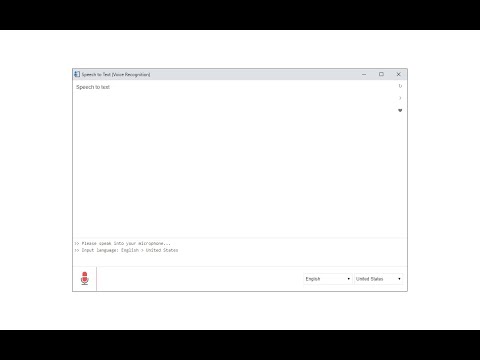
Speech to Text (Voice Recognition) is an extension that helps you convert your speech to text by using two different speech recognition engines. The 1st engine is the HTML5 native web speech API for audio transcribing. It is active in most modern browsers by default (more info: https://webaudio.github.io/web-speech-api/). The 2nd API is the Whisper AI engine, which uses a new artificial intelligence method to transcribe audio (more info: https://huggingface.co/onnx-community/whisper-base). Please note that when you choose Whisper AI, the app needs to download training data (~280MB) for the AI engine. So please be patient while the app is loading. Both engines can recognize a wide variety of languages and related dialects. To work with this extension, simply open the addon's UI and then press on the big microphone icon to start converting your voice to text. Please note that, when the add-on is first started, it asks for microphone permission. Please accept the permission to start working with the add-on. All the captured text is placed in the top text area within the interface. To copy the text, use the (Ctrl + C) keyboard combination. This add-on has no background activities when it is closed. Note: The Whisper AI engine, once loaded, can work fully offline. Moreover, you can drag and drop an audio file to start transcribing. Please note that this feature is not available for the Web Speech API. If you want to use an audio file for transcribing, please break it into small audio chunks (around a few minutes) as the AI engine runs locally in your browser and is limited in memory and processing power; therefore, it is not capable of handling large audio files. If you found a bug to report, please fill out the bug report form on the add-on's homepage (https://mybrowseraddon.com/speech-to-text.html).
3,4 su 5120 valutazioni
Dettagli
- Versione0.1.7
- Ultimo aggiornamento:21 ottobre 2025
- Elemento offerto daKeller
- Dimensioni5.29MiB
- LingueEnglish
- Sviluppatore
Email
hovie.keller@gmail.com - Non commercianteQuesto sviluppatore non si è identificato come commerciante. Per quanto riguarda i consumatori nell'Unione Europea, tieni presente che i diritti del consumatore non sono applicabili ai contratti stipulati tra te e questo sviluppatore.
Privacy

Questo sviluppatore dichiara che i tuoi dati:
- Non vengono venduti a terze parti, se non per i casi d'uso approvati.
- Non vengono usati o trasferiti per finalità non correlate alle funzionalità principali dell'elemento.
- Non vengono usati o trasferiti per stabilire l'affidabilità creditizia o per finalità di prestito.
Assistenza
Per ricevere assistenza in merito a domande, suggerimenti o problemi, visita il sito di assistenza dello sviluppatore