

Specimen

Overview
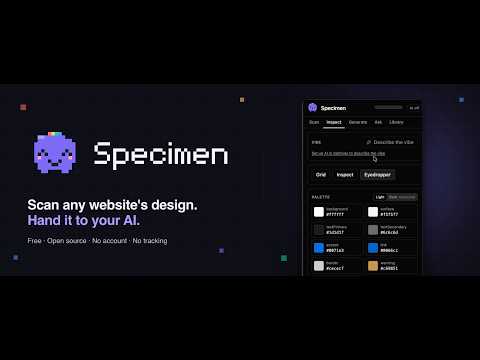
Measure any website’s design system and turn it into an agent-ready prompt and DESIGN.md.
Specimen measures the design system of any website and turns it into something an AI coding agent can use. Open the side panel, click Scan, and Specimen reads the computed styles in your browser. It finds the colors and their roles (background, text, accent, borders), the type scale and font families, the spacing scale, corner radii, shadows and the layout. What you can do with it Inspect the palette, type scale, spacing, shapes, components and layout, with a contrast check against WCAG AA. Turn on a baseline grid, a live element inspector or an eyedropper. Generate a prompt for any AI coding agent, or a DESIGN.md file. Copy it or download it. Capture the mobile layout and the dark or light theme, and merge several pages of one site into a single scan. Check a page you built against the original and get a prompt that fixes the differences. • Save every scan to a local Library. Search, tag, export and import. Compose a new design by mixing the colors of one scan with the type or spacing of another. Optional AI Everything above works without AI. If you want it, you can ask questions about a design, polish the prompt and get a short description of the visual feel. Run it on a local Gemma model in your browser (a one-time download, then it works offline), use Chrome's built-in model where available, or bring your own API key for a cloud provider or a local model server. Privacy • No account, no servers, no analytics, no tracking. • Specimen reads a page only when you scan it. Chrome asks for site access once. • Everything stays on your device. • AI is off by default. If you add a provider, a short summary of the measured values goes only to that provider, when you use one of these features. API keys stay in your browser's extension storage. Built for inspiration, not copying Prompts contain measured values only: colors, type, spacing and layout structure. They never include logos, brand names or page text, and they ask the agent to build something original. Shortcuts: Alt+Shift+S opens the panel. Alt+Shift+C scans the current page and shows the prompt. Specimen is free and open source (MIT): https://github.com/ayu-works/specimen
0 out of 5No ratings
Details
- Version1.0.0
- UpdatedOctober 12, 2026
- Offered byayu.works
- Size6.77MiB
- LanguagesEnglish
- Developer
Email
ayushmayank77@gmail.com - Non-traderThis developer has not identified itself as a trader. For consumers in the European Union, please note that consumer rights do not apply to contracts between you and this developer.
Privacy

Specimen has disclosed the following information regarding the collection and usage of your data. More detailed information can be found in the developer's privacy policy.
Specimen handles the following:
This developer declares that your data is
- Not being sold to third parties, outside of the approved use cases
- Not being used or transferred for purposes that are unrelated to the item's core functionality
- Not being used or transferred to determine creditworthiness or for lending purposes
Support
For help with questions, suggestions, or problems, visit the developer's support site