

SP Formatter
5 hodnotení
)
Prehľad
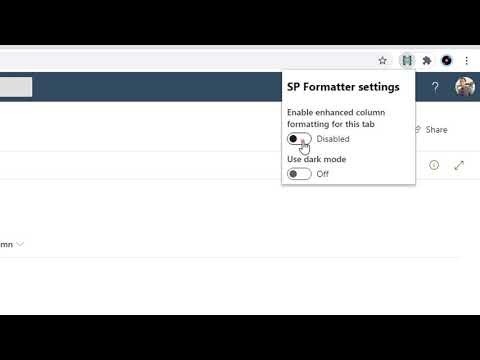
Customize your SharePoint Column, View or Form Layout Formatting JSON using a full-featured editor instead of the default one.
SP Formatter features: - Live Preview as you type (no need to click "Preview" button) - Intellisense (suggestions) based on Column or View formatting schema, CSS styles, replaceable tokens (`@currentField`, list fields with `$` based on the context) - JSON validation with error messages in the editor - Help tooltips for JSON properties - Color highlights - Line numbers, brace matching, collapsible regions - Hotkeys: search, replace, format document, go to line and others available for monaco-editor - Easily switch between default and enhanced editor - VSCode integration - Full screen mode Supported platforms: - SharePoint Online - SharePoint 2019 (through a separate extension, read more https://github.com/pnp/sp-formatter/blob/master/sp2019/README.md) PRIVACY POLICY SP Formatter does not collect nor store any personal data. CHANGELOG: https://github.com/pnp/sp-formatter/blob/master/web-extension/CHANGELOG.md
4,2 z 55 hodnotení
Podrobnosti
- Verzia0.1.6
- Aktualizované9. júla 2024
- Od vývojáraSergei Sergeev
- Veľkosť4.28MiB
- JazykyEnglish
- Vývojár
E-mail
sergeev.srg@gmail.com - Neobchodný subjektTento vývojár sa neidentifikoval ako obchodník. Upozorňujeme, že práva spotrebiteľov v Európskej únii sa nevzťahujú na zmluvy uzavreté medzi vami a týmto vývojárom.
Ochrana súkromia

Tento vývojár vyhlasuje, že vaše údaje:
- sa nepredávajú tretím stranám mimo schválených prípadov použitia,
- sa nepoužívajú ani neprevádzajú na účely, ktoré nesúvisia so základnou funkciou položky,
- sa nepoužívajú ani neprevádzajú na zisťovanie úverovej bonity ani na účely poskytovania úverov.
Podpora
Ak máte otázky, návrhy alebo problémy, otvorte túto stránku v prehliadači pre počítače