SP Editor のアイテムロゴ画像

SP Editor

4.8(

53 件の評価

)
SP Editor のアイテム メディア 6 のスクリーンショット
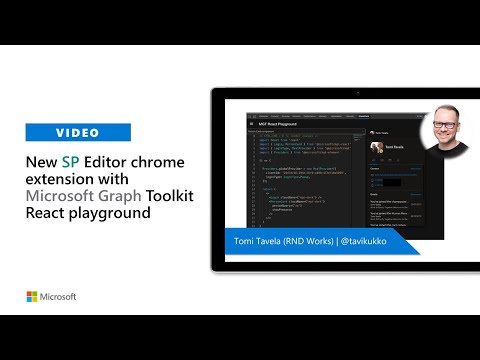
アイテムの動画サムネイル
SP Editor のアイテム メディア 2 のスクリーンショット
SP Editor のアイテム メディア 3 のスクリーンショット
SP Editor のアイテム メディア 4 のスクリーンショット
SP Editor のアイテム メディア 5 のスクリーンショット
SP Editor のアイテム メディア 6 のスクリーンショット
アイテムの動画サムネイル
アイテムの動画サムネイル
SP Editor のアイテム メディア 2 のスクリーンショット
SP Editor のアイテム メディア 3 のスクリーンショット
SP Editor のアイテム メディア 4 のスクリーンショット
SP Editor のアイテム メディア 5 のスクリーンショット
SP Editor のアイテム メディア 6 のスクリーンショット

概要

SharePoint Online dev toolbox: PnP JS & Graph SDK consoles, REST client, search, file editor, webhooks, properties & AI assistant

A Google Chrome Extension for creating and updating files (js, css), injecting files to sites, modifying web/list propertybag values (add, edit, remove, index) and creating webhook subscriptions, edit/add/remove webparts from publishing pages and run sp-pnp-js typescript snippets in SP2013, SP2016, SP2019 and SharePoint Online from Chrome Developer Tools. This tool will help you create amazing SharePoint applications fast from your browser from any computer which runs Chrome!

詳細

  • バージョン
    8.0.1
  • 更新:
    2026年6月1日
  • 提供元
    Tomi Tavela
  • サイズ
    13.82MiB
  • 言語
    English
  • デベロッパー
    メール
    tomi.tavela@gmail.com
  • 非取引業者
    このデベロッパーは取引業者として申告していません。EU 加盟国の消費者とこのデベロッパーとの間に締結された契約には、消費者の権利が適用されません。

プライバシー

拡張機能を管理し、組織での使用状況を確認できます
デベロッパーは、お客様のデータを収集または使用しないことを表明しています。 詳しくは、デベロッパーの privacy policy をご確認ください。

このデベロッパーは、お客様のデータについて以下を宣言しています

  • 承認されている以外の用途で第三者に販売しないこと
  • アイテムの中心機能と関係のない目的で使用または転送しないこと
  • 信用力を判断する目的または融資目的で使用または転送しないこと

サポート

関連アイテム

Live editor for CSS, Less & Sass - Magic CSS

4.6

Live preview of CSS/Less/Sass code changes. Auto-save file, autocomplete, Less/Sass to CSS, beautify, CSS reloader, lint, ...

Test & Feedback

4.2

Now everyone on the team can own quality. Capture findings, create issues, and collaborate with the team, directly from the browser.

Adopt365 (powered by VisualSP)

3.9

Adopt365 is a help assistant that delivers how-to answers and guidance for Dynamics and Microsoft 365 when and where you need them.

SP Formatter

4.2

Customize your SharePoint Column, View or Form Layout Formatting JSON using a full-featured editor instead of the default one.

SPFX Workbench Manager

5.0

Chrome Extension to manage your SharePoint workbench.

SharePoint のページ診断

3.6

SharePoint Online のページ パフォーマンス 問題を特定するためのツール

SharePoint Quicklinks

5.0

Useful SharePoint Quicklinks & Custom Links

Page Editor

4.0

Edit any website text!

Power Automate Actions Handler

5.0

Record, copy, and manage Power Automate actions from SharePoint. Capture HTTP requests and duplicate actions between tenants.

No-Script Suite Lite

3.5

Blocks scripts (and more) on untrusted websites.

Power Automate Tools

4.0

This extension enables editing a Power Automate flow definition as JSON.

Level up for Dynamics 365/Power Apps

4.7

Quickly perform advanced/hidden actions in Dynamics 365/Power Apps, without bookmarklets.

Live editor for CSS, Less & Sass - Magic CSS

4.6

Live preview of CSS/Less/Sass code changes. Auto-save file, autocomplete, Less/Sass to CSS, beautify, CSS reloader, lint, ...

Test & Feedback

4.2

Now everyone on the team can own quality. Capture findings, create issues, and collaborate with the team, directly from the browser.

Adopt365 (powered by VisualSP)

3.9

Adopt365 is a help assistant that delivers how-to answers and guidance for Dynamics and Microsoft 365 when and where you need them.

SP Formatter

4.2

Customize your SharePoint Column, View or Form Layout Formatting JSON using a full-featured editor instead of the default one.

SPFX Workbench Manager

5.0

Chrome Extension to manage your SharePoint workbench.

SharePoint のページ診断

3.6

SharePoint Online のページ パフォーマンス 問題を特定するためのツール

SharePoint Quicklinks

5.0

Useful SharePoint Quicklinks & Custom Links

Page Editor

4.0

Edit any website text!

Google アプリ