


Overview
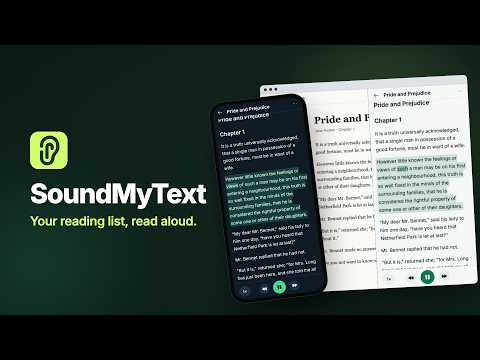
Listen to web pages and your own documents in a natural voice in Chrome's side panel, each word highlighted as it is read.
SoundMyText reads aloud in Chrome's side panel. Open a web page, click "Whole page" under "Read this page", and listen while each word lights up as it is spoken. Your own documents can be read the same way. READ WHAT YOU ARE LOOKING AT Listen to the whole article, only the text you selected, or a block you pick. Menus and other clutter are left out, so you hear only the article. The side panel stays open while you browse, and playback keeps going when you switch tabs. FOLLOW ALONG The current sentence and every spoken word are highlighted. Click a sentence to jump there, or skip back and forth one at a time. YOUR DOCUMENTS TOO Open a file from your computer or paste your own text. Scans and photos are turned into text first. Files can be up to 1,000 pages long, and long books open while the rest is still being prepared. NATURAL VOICES Three voices read in a natural rhythm, from 0.75× to 2× without the pitch changing. More than 90 languages are supported, and the language of each document is recognised automatically. PICK UP WHERE YOU LEFT OFF Your place in every document is saved as you listen. Sign in, and your documents and credits are on every device where you use SoundMyText. PAY ONLY FOR NEW AUDIO Start with 25 free credits, no sign-up needed. Credits pay for making new audio; listening again is always free. With the default voice model, 1 credit covers about 200 words. The monthly plan adds 100 credits each month, and subscribers can buy an extra pack of 50 whenever they need more. Payment opens in a new tab. PRIVATE BY DESIGN SoundMyText reads a tab only when you ask it to. Your documents are visible only to you. To make audio, their text is sent sentence by sentence to our speech providers, with nothing that identifies you. There is no advertising. Open the side panel with the SoundMyText icon or Alt+Shift+F. Privacy Policy: https://soundmytext.com/privacy/ Terms: https://soundmytext.com/legal/
0 out of 5No ratings
Details
- Version0.1.7
- UpdatedOctober 26, 2026
- FeaturesOffers in-app purchases
- Size920KiB
- Languages2 languages
- DeveloperWebsite
Email
info@tokdeck.com - Non-traderThis developer has not identified itself as a trader. For consumers in the European Union, please note that consumer rights do not apply to contracts between you and this developer.
Privacy

SoundMyText has disclosed the following information regarding the collection and usage of your data. More detailed information can be found in the developer's privacy policy.
SoundMyText handles the following:
This developer declares that your data is
- Not being sold to third parties, outside of the approved use cases
- Not being used or transferred for purposes that are unrelated to the item's core functionality
- Not being used or transferred to determine creditworthiness or for lending purposes
Support
For help with questions, suggestions, or problems, visit the developer's support site