

Sound Notifier for Email - Gmail, iCloud, Outlook & More

Overview
Rings when new emails arrive, even in the background. Set ring length, stop with one click. Not affiliated with any email provider.
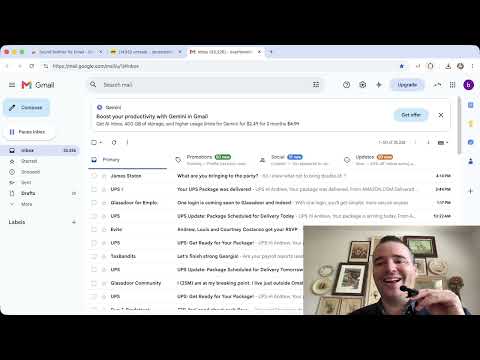
This extension is free inside and out. It lets you know when you have a new email in your inbox, and you can set the ring to sound however long you wish, in hours (up to 24), minutes and seconds, right in our user interface. It works with popular email services such as Gmail, Outlook and iCloud Mail, along with several other major providers, including their older address endings. Open the extension to see the full list, and switch each one on or off individually. There is also a test ring button, so you can be confident the extension loaded and is ready to go! No more inbox-camping: work in other tabs or carry on with your daily life, and know when it is time to check your inbox. It does not notify for emails that land in spam, or in promotions, social and update tabs, keeping unwanted audio notifications to a minimum. *Not affiliated with or endorsed by any of the email providers the extension works with. *Remember, your operating system, Chrome browser, and the email’s own webpage need to have audio notifications enabled.
0 out of 5No ratings
Details
- Version2.2
- UpdatedOctober 23, 2026
- Offered byDrew the Dev
- Size847KiB
- LanguagesEnglish (United States)
- DeveloperBrighter Ecommerce LLC
113 Plantation Ln Acworth, GA 30101-8721 USEmail
Drew5459450@gmail.comPhone
+1 770-545-9450 - TraderThis developer has identified itself as a trader per the definition from the European Union and committed to only offer products or services that comply with EU laws.
- D-U-N-S132571965
Privacy

This developer declares that your data is
- Not being sold to third parties, outside of the approved use cases
- Not being used or transferred for purposes that are unrelated to the item's core functionality
- Not being used or transferred to determine creditworthiness or for lending purposes
Support
For help with questions, suggestions, or problems, visit the developer's support site