

Sonora - AI Text to Speech
3 ratings
)
Overview
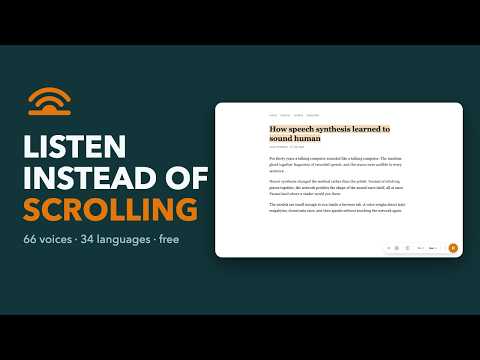
Listen to any web page or selected text. Sentence highlighting, speed control, works on long articles without cutting off.
🔊 SONORA — TEXT TO SPEECH READER FOR CHROME Turn any web page into audio. This text to speech Chrome extension reads articles, news and docs out loud with natural AI voices in 34 languages. Press Play and listen — no copy-pasting, no sign-up, no text to speech download. Call it a speech to voice generator, a tts reader or simply an ai reader — it speaks whatever is on your screen, so you can listen instead of scrolling. 🚀 GET STARTED Add Sonora to Chrome, open an article and press Play. A text to speech reader for people who would rather listen than scroll. ▶ HOW IT WORKS 1️⃣ Open any page: news, blog post, long read, documentation or research paper. 2️⃣ Click the icon and press Play — the ai text to speech tool starts from the first sentence. 3️⃣ Pick a voice, language and speed, then just listen. ⭐ KEY FEATURES ➤ Read aloud text to speech on any website in one click ➤ Natural AI voices — male and female, 66 of them, each auditioned by ear ➤ A free tts engine for articles, blogs, docs and web-based PDFs ➤ 34 languages with automatic detection ➤ Reading speed 0.5x–3x, adjustable pitch and volume ➤ Whole page or a selected fragment — this text reader handles both ➤ Sentence highlighting, so your eyes can follow along ➤ Play, pause, skip forward and back, plus keyboard shortcuts ➤ Background playback while you work in other tabs ➤ Long articles read to the end instead of stopping halfway through 🌍 VOICES & LANGUAGES ▸ English (US, UK), Spanish, French, German, Portuguese, Italian, Dutch ▸ Polish, Ukrainian, Russian, Turkish, Greek, Hindi, Hebrew, Persian ▸ Korean, Vietnamese, Swedish, Danish, Norwegian, Finnish, Serbian and more 📚 WHAT YOU CAN LISTEN TO - News sites, blogs and wikis - Product docs, terms of service, job posts - Online courses and research papers - Web-based PDFs and step-by-step guides - Long email threads and newsletters you never open 👥 WHO IT IS FOR - Text to speech news listeners — headlines while you commute - Students — long papers become audio lectures - Professionals — reports with your hands and eyes free - Writers — proofread by ear and catch typos your eyes skip over - Dyslexia, ADHD or low vision — a patient, accessible tts reader - Language learners — hear pronunciation while you read text - Tired eyes — rest them without pausing your reading list 💡 PRO TIPS 📌 Highlight a paragraph before pressing Play to hear only that part. 📍 Raise the speed to 1.5x for news, drop to 0.9x for study material. 💡 Press Alt+Shift+S to pause the read aloud without leaving the page. 📌 Set a default tts voice once — it applies to every new tab. 🎧 WHY LISTEN INSTEAD OF READING Modern voices no longer sound robotic, so a good text to speech generator gets you through an article with your ears while your eyes rest. - Listen at 2x and finish a long read in half the time - Read aloud mode keeps you going while you cook, drive or walk - A voice reader never loses your place mid-paragraph 💸 CLOUD VOICES ON YOUR OWN KEY Already paying for OpenAI, Azure, Google Cloud, Amazon Polly or IBM Watson? Enter your API key and their voices appear in the list — you pay the provider directly, and the key stays in this browser. 🔒 PRIVACY It voices only the page you ask it to — an audio text reader free of ads, trackers and data selling. No browsing history tracking, no ad profiles. Permissions stay at the minimum a text to speech extension needs. Neural voices are computed on your device: the page is never uploaded, and a downloaded voice reads with the network off. ❓ QUESTIONS & ANSWERS Q: How is it different from Google text to speech? A: The Google text-to-speech engine handles plain pages only; this text to speech app adds content detection, highlighting and hotkeys. People also look for it as google text to voice or tts google — same job, done on any page. Q: Do I need a separate text to speech download? A: No, just add the extension and it is ready. Q: Can I listen to a selected fragment? A: Yes — highlight it, then press Play. Q: Can it read text in another language? A: Yes — the ai reader detects the language and picks a matching voice. Q: Will it stop in the middle of a long article? A: No — a long read is finished to the end. Q: Does it work offline? A: Device voices do; cloud voices need a connection. Questions or new voice requests? Write to samskirill@gmail.com — we answer every message.
5 out of 53 ratings
Details
- Version1.2.2
- UpdatedSeptember 20, 2026
- Size2.38MiB
- Languages11 languages
- Developer
Email
camckapppa@gmail.com - Non-traderThis developer has not identified itself as a trader. For consumers in the European Union, please note that consumer rights do not apply to contracts between you and this developer.
Privacy

Sonora - AI Text to Speech has disclosed the following information regarding the collection and usage of your data. More detailed information can be found in the developer's privacy policy.
Sonora - AI Text to Speech handles the following:
This developer declares that your data is
- Not being sold to third parties, outside of the approved use cases
- Not being used or transferred for purposes that are unrelated to the item's core functionality
- Not being used or transferred to determine creditworthiness or for lending purposes