


Overview
Talk to AI instead of typing. A fast voice dictation tool for ChatGPT, DeepSeek, and Gemini.
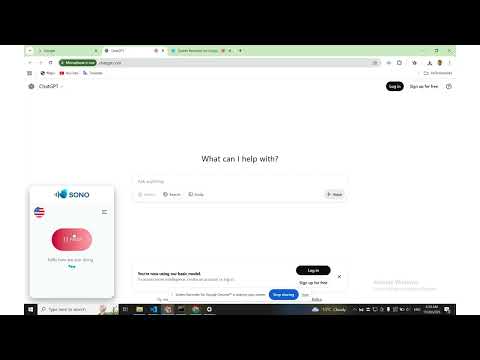
Sono AI Voice Assistant lets you talk to AI instead of typing when using ChatGPT, DeepSeek, and Gemini. Speak naturally and see your voice instantly converted into text inside your AI chat box. Send messages faster, stay in flow, and interact with AI hands-free. Key Features • Voice dictation for ChatGPT, DeepSeek, and Gemini • Real-time speech-to-text while chatting with AI • Faster conversations without typing • Natural voice input with instant text output • Lightweight and simple to use • No account or sign-up required How It Works Activate voice input and start speaking. Your words appear as text as you talk. Say the language-based keyword to place the full text into the chat box, or copy it if you prefer. Review the text, then send it to your AI assistant — no extra steps. Privacy & Security Your voice stays on your device. No audio is uploaded, stored, or shared. Why Use Sono Perfect for productivity, accessibility, note-taking, brainstorming, and hands-free AI conversations.
5 out of 51 rating
Details
- Version1.0.8
- UpdatedFebruary 21, 2026
- Size78.73KiB
- LanguagesEnglish (United States)
- DeveloperWebsite
Email
contact@sonovoice.org - Non-traderThis developer has not identified itself as a trader. For consumers in the European Union, please note that consumer rights do not apply to contracts between you and this developer.
Privacy

This developer declares that your data is
- Not being sold to third parties, outside of the approved use cases
- Not being used or transferred for purposes that are unrelated to the item's core functionality
- Not being used or transferred to determine creditworthiness or for lending purposes
Support
For help with questions, suggestions, or problems, visit the developer's support site