

Somethings Wrong I Can File It

Overview
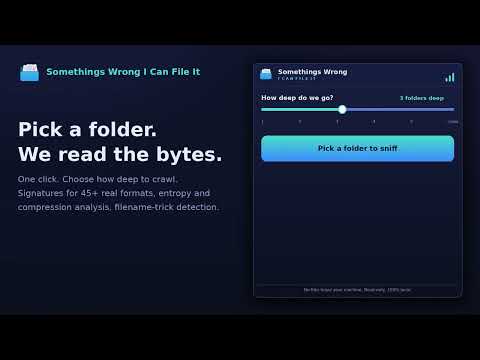
Pick a folder and sniff out files that aren't what they say they are. Seems Fishy, Kinda Sus, or Pull Over Buddy.
Somethings Wrong I Can File It: find files that are lying about what they are. WHAT IT DOES Every file on your computer wears a name, and that name can lie. A "vacation-photo.jpg" can secretly be a Windows program. An "invoice.pdf" can really be an executable wearing a double extension like invoice.pdf.exe, one of the oldest tricks used to spread viruses, trojans, worms, ransomware, and spyware. Somethings Wrong I Can File It is a file scanner that reads the actual bytes inside each file in any folder you pick and tells you, in plain English, whether the file really is what its name says. WHAT IT IS USED FOR Use it the way you would use a quick virus scan or malware scan on a suspicious folder, as a first-look screening tool before you double-click anything: Check your downloads folder for disguised executables before opening email attachments or files from messaging apps Vet a USB stick, external drive, or shared network folder someone handed you Audit old backups where files may have been renamed or corrupted over the years Confirm that a "document" from a stranger is actually a document and not a renamed program, the classic delivery trick for trojan horse malware and phishing payloads Spot packed or encrypted data hiding inside files that claim to be plain text, a common sign of malicious payloads that antivirus software also hunts for BENEFITS AND FEATURES Real threat-detection techniques, in plain language. The same core ideas used by antivirus engines, anti-malware tools, and endpoint security scanners: file signature analysis (magic numbers) for 45+ formats, heuristic analysis, entropy analysis to spot packed or encrypted payloads, and filename-trick detection (double extensions, hidden right-to-left characters, whitespace padding) Executables in disguise are flagged loudly. Windows EXE/DLL, Linux ELF, macOS Mach-O, Android APK/DEX, and Java files hiding behind innocent names Sees through containers. ZIP-based formats (docx, xlsx, pptx, jar, epub) and RIFF media are resolved to their true inner type Four friendly verdicts. - Pull Over Buddy, Kinda Sus - Seems Fishy - Looks Fine Each with the exact reason spelled out Adjustable depth. Scan one folder level or crawl the whole tree Fast. Only the first 256 KB of each file is sampled, so large folders scan in seconds 100% private, 100% offline. Unlike cloud-based virus scanners, nothing is ever uploaded. No account, no tracking, no network access at all. Strictly read-only: it never modifies, quarantines, or deletes anything LIMITATIONS AND DISCLAIMER This extension cannot scan protected system folders. Chrome itself blocks all extensions from reading locations such as the Windows and Program Files folders, macOS system and Library folders, and Linux system directories, so those cannot be selected in the folder picker. It is a heuristic screening tool, not an antivirus, not an anti-malware suite, and not a replacement for real-time protection software. It does not match files against known virus definitions or malware signature databases, and false positives and false negatives are possible. Always keep dedicated, up-to-date security software installed and use your own judgment before opening files from untrusted sources.
5 out of 52 ratings
Details
- Version4.2
- UpdatedJuly 10, 2026
- Size32.56KiB
- LanguagesEnglish
- DeveloperWebsite
Email
yfrimer@gmail.com - Non-traderThis developer has not identified itself as a trader. For consumers in the European Union, please note that consumer rights do not apply to contracts between you and this developer.
Privacy

This developer declares that your data is
- Not being sold to third parties, outside of the approved use cases
- Not being used or transferred for purposes that are unrelated to the item's core functionality
- Not being used or transferred to determine creditworthiness or for lending purposes
Support
For help with questions, suggestions, or problems, please open this page on your desktop browser