

Overview
Draft specific, thoughtful comments and replies on LinkedIn, Facebook, X and YouTube in one click. You review before posting.
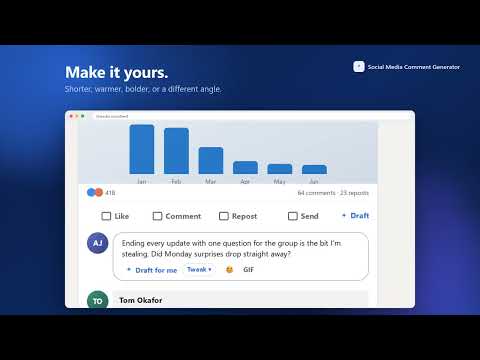
Stop staring at an empty comment box. Social Media Comment Generator adds a small "Draft" button next to Like, Comment and Share on LinkedIn, Facebook and X, and a "Draft for me" button inside comment boxes on all four sites, YouTube included. One click reads the post and drafts a short, specific comment straight into the comment box. Then you edit it and post it yourself. WHAT MAKES IT DIFFERENT • Sounds like you. Tell it what you do and what you know, and drafts show your expertise. On a paid plan it learns your voice from the comments you actually post. • Drafts, never posts. Nothing is published without you pressing Post. • Specific, not generic. Each draft responds to a point in the post, never "Great post, thanks for sharing!", and avoids the phrases people spot as AI. • Pick the angle: agree and add to it, ask a question, respectfully push back, congratulate, or relate it to your work. Then make it shorter, warmer or bolder in one click. • Written for each platform: professional on LinkedIn, friendly on Facebook, short and punchy on X (under 280 characters), and about the video itself on YouTube. • Replies too. On LinkedIn, draft a reply to any comment, with the post as context. • Write posts: turn a rough idea into a LinkedIn or X post in your voice. • Keep up with the people who matter: their posts stand out in your feed, and you get a nudge when you haven't engaged for a while (free trial only for now). • See your week: drafts, what you posted, and your streak. • Same language as the post. Keyboard shortcut: Alt+Shift+D in any comment box. HOW IT WORKS 1. Install. Your first 5 drafts need no sign-up at all. 2. Open LinkedIn, Facebook, X or YouTube. 3. Click "Draft" on a post, or "Draft for me" in a comment box. 4. Edit the draft if you like, then post it. You can switch each platform on or off from the extension's popup. PRICING • Try 5 drafts with no sign-up, then a 7-day free trial (50 drafts, email only, no card). • Free after that: 10 drafts a month. • Basic: £5.99 a month or £39 a year, 2,000 drafts a month, with voice learning and post writing. • Refer a friend and you both get 100 extra drafts. • Cancel any time. PRIVACY • The extension only reads the post or video you draft a comment on, and sends that text to our server to draft the comment. • Your "About you" details and the comments you've posted stay in your browser, and are only sent along with a draft so it sounds like you. • We don't read your messages, contacts or anything else, and we never post on your behalf. • Payments are handled by ExtensionPay and Stripe. We never see your card details. Made by Onibaku (https://apps.onibaku.co.uk). Questions or problems: admin@onibaku.co.uk
Details
- Version3.5.0
- UpdatedNovember 17, 2026
- FeaturesOffers in-app purchases
- Offered byOnibaku
- Size264KiB
- Languages12 languages
- DeveloperNaval Bhandari
4 Albion Terrace Bath BA1 3AF GBEmail
admin@onibaku.co.ukPhone
+44 7500 556310 - TraderThis developer has identified itself as a trader per the definition from the European Union and committed to only offer products or services that comply with EU laws.
Privacy

Social Media Comment Generator has disclosed the following information regarding the collection and usage of your data. More detailed information can be found in the developer's privacy policy.
Social Media Comment Generator handles the following:
This developer declares that your data is
- Not being sold to third parties, outside of the approved use cases
- Not being used or transferred for purposes that are unrelated to the item's core functionality
- Not being used or transferred to determine creditworthiness or for lending purposes


