


Descripción general
Linkedin para Chrome. Extensión Web Lite. Conta notificaciones. Mensajes, Feed Noticias, Perfil, CV, Email. Herramienta de búsqueda
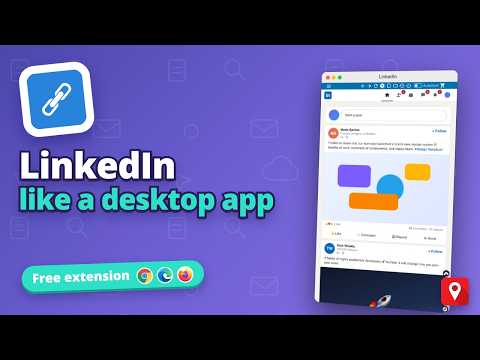
★★★★★ El LinkedIn™ completo, como una app de escritorio, directamente en tu navegador 🌐 Haz crecer tu red profesional, encuentra empleo, escribe a reclutadores y compañeros, comparte publicaciones y artículos, y sigue a empresas y las noticias de tu sector 💼 Las notificaciones, mensajes e invitaciones nuevos aparecen en el icono, en una ventana compacta siempre a un clic 🥇 Una ventana pequeña de LinkedIn justo al lado de tu trabajo: una interfaz más limpia y ligera en CPU, RAM y red 🍃 FUNCIONALIDADES ✔ Tu feed de LinkedIn, publicaciones y artículos, y las noticias de tu sector 📰 ✔ Empleo y mensajes: preséntate a ofertas y chatea con reclutadores y compañeros 💼 ✔ El badge del icono cuenta tus notificaciones, mensajes e invitaciones nuevos de LinkedIn (por ejemplo 14) 🔔 ✔ Ligero y compacto: una ventana pequeña, con poco consumo de CPU, RAM y red 🍃 ✔ SideBar o WideBar en un clic, y de vuelta al tamaño y la posición de origen 📐 ✔ Multi Window - Account: una segunda ventana, o 2 cuentas distintas a la vez, una al lado de la otra 👥 ✔ NUEVO aspecto moderno y NUEVO Dark Mode: AUTO (como tu ordenador), ON u OFF 🌙 ✔ Theme - Skin Color: 9 temas, incluido el NUEVO tema Dark para páginas claras 🎨 ✔ Window Screenshot: guarda la ventana entera como imagen en un clic 📷 ✔ Video of the Window: grábala durante 5, 15 o 30 segundos o el tiempo que quieras, en MP4 🎥 ✔ Emoji Keyboard: pon emojis en tus mensajes en un clic 😀 ✔ Modo incógnito: la página se queda atenuada hasta que la señalas 🕶️ ✔ Auto-Start con el navegador, y clic derecho en un enlace para abrirlo aquí 🚀 PREMIUM FEATURES ⭐ Premium Level 1 · gratis con 3 de nuestras extensiones instaladas 📸 Capturas de pantalla de la ventana · 🎥 Vídeos de la ventana de hasta 10 min · 📰 Multi Window - Account · 💧 Theme - Skin Color 👑 Premium Level 2 · opcional, de pago (anual o de por vida), una sola compra para todas nuestras extensiones ✅ Todo lo del Level 1, sin instalar otras extensiones 🚫 Sin pop-ups ni promociones 🤖 AI Assistant: resume, traduce y ayuda a escribir, en tu ordenador 🔀 Quick Switch · 📌 Always on Top · 🎥 Vídeos de la ventana de hasta 30 min 🪟 Split/Multi View: cualquier sitio web al lado de esta ventana 🚀 Nuevas funciones Premium, con acceso anticipado · 💬 Soporte prioritario por email Todas las demás funciones son gratuitas. Premium Level 2 lo vende WWEvents, no Google, en nuestra web, con pagos a través de Stripe. Los precios están en la página Premium de la extensión. Condiciones de venta y reembolsos: https://jitt.wwevents.fun/privacy-policy/#terms-of-sale 📌 Esta extensión incluye promoción de otras extensiones de WWEVENTS, para dar a conocer otros trabajos que hacemos, y puede que algunas te resulten muy útiles 😀 Todas nuestras extensiones son gratuitas para instalar y usar; solo Premium Level 2 es de pago 📌 ———————————————————— ABOUT WWEVENTS ———————————————————— 💎 Building Apps and Extensions for Chrome and Android 🔥📣 ———————————————————— CHANGELOG & RELEASE NOTES ———————————————————— 📔 Available on the product page: https://jitt.wwevents.fun/project/linkedin-lite/#changelog ———————————————————— LEGAL ———————————————————— LinkedIn™ is a trademark of Microsoft Corporation, registered in the U.S. and other countries. This is an independent project developed by WWEvents and has no relationship to that company. ———————————————————— PRIVACY POLICY & TERMS OF SERVICE ———————————————————— By installing this product you agree to our privacy policy & terms of service: https://jitt.wwevents.fun/privacy-policy/ ———————————————————— REQUIRED PERMISSIONS ———————————————————— You may consult the list of permissions and the reason why they are required on the product page: https://jitt.wwevents.fun/project/linkedin-lite/#permissions “notifications” – Used to send desktop notifications. For example when a new message arrives or the App is updated. “contextMenus” – Allows adding more settings when you right-click the App icon in the browser toolbar and in the browser context menu, for example to open links in the App when you right-click them. “storage” – Used to save settings on your local computer (for example Theme - Skin Color, incognito mode, the hidden top bar and the size and position of the Extension window). “scripting” – Used to be able to insert JS or CSS on the required host/domains: the Extension top bar, side menu, themes and the layout fixes that make the site fit the Extension window. “system.display” – Used to detect the display size and position the Extension window (SideBar, WideBar and the second window of Multi Window - Account). “unlimitedStorage” – Storage is limited to 5MB of data that may not be enough to store all configs. “host_permissions” – Permission to access some hosts/domains that we must modify in order to provide the desired functionality detailed above. It also allows you to share content (links or text) from other pages directly inside the App and send it as a Chat to a friend for example. Also used to allow intercommunication with other WWEvents Apps (i.e. Emojis) and to count your new notifications, messages and My Network invitations for the badge on the icon. “activeTab” – Permission to access the window where the Extension is running and that is shown to the user, for example to take a screenshot of it. “all_urls” – Permission required for users to be able to take screenshots of the current window – captureVisibleTab. “declarativeNetRequest” – Used to adjust how the site loads inside the Extension window and the windows of Multi Window - Account, so that it loads and fits correctly there. It only applies to the Extension windows, never to your normal browser tabs. “declarativeNetRequestWithHostAccess” – Used to apply these adjustments only to the site's hosts/domains that the Extension has access to. Only impacts the Extension window. “declarativeNetRequestFeedback” – Used to check which of these adjustments were applied in the Extension window, so that problems can be found and fixed quickly when the site changes. ———————————————————— FINAL NOTES ———————————————————— This information is also available inside the App: Options -> About
Detalles
- Versión12.1
- Actualizado26 de octubre de 2026
- Tamaño4.01MiB
- Idiomas54 idiomas
- DesarrolladorwweventsSitio web
Persiaran Sukan Shah Alam, Selangor 40100 MYCorreo electrónico
contact@wwevents.fun - No operadorEste desarrollador no se ha identificado como operador. Los consumidores residentes en la Unión Europea deben tener en cuenta que los derechos de los consumidores no son aplicables a los contratos que suscriban con este desarrollador.
Privacidad

Social Link ha revelado la siguiente información sobre la recogida y el uso de tus datos. Puedes consultar información más detallada en la privacy policy del desarrollador.
Social Link gestiona lo siguiente:
Este desarrollador declara que tus datos:
- No se venden a terceros, excepto en los casos de uso aprobados
- No se usan ni se transfieren para fines no relacionados con la función principal del elemento.
- No se usan ni se transfieren para determinar la situación crediticia ni para ofrecer préstamos.


