


Overview
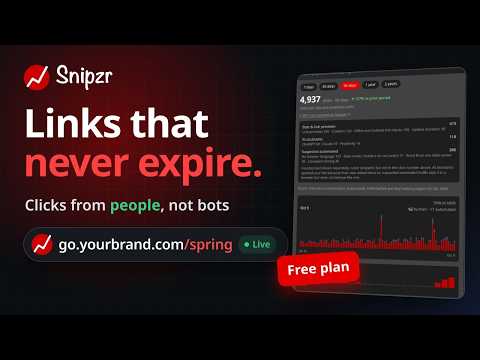
Shorten the page you are on, on your own domain, with cookie-less analytics and a QR code.
Snipzr turns the page you are on into a short link, on snipzr.com or on your own domain, and copies it for you. One click, and the link is on your clipboard. Every link you make this way carries cookie-less analytics, a QR code you can save, and optional campaign tags. WHAT IT DOES • Shorten the page you are on. Open the popup, the address is already filled in, click "Shorten and copy". The short link is created and copied in the same motion. • Shorten from the right-click menu. Right-click any link, any selected address, or the page itself, and choose "Shorten with Snipzr". You never leave the page. • Pick the domain. Use snipzr.com, or one of the custom domains you have added to your Snipzr account. • Choose a back-half, or let Snipzr pick one. • Add campaign tags. Source, medium and campaign are remembered for the next link, so a campaign takes one setup, not one per link. • Get a QR code. Drawn in your browser, saved as a PNG with one click. Scans are counted separately from clicks. • See how a link is doing. Clicks, scans and bots for every link you made, plus your recent links, right in the popup. • Work in your workspaces. If you belong to a team workspace on Snipzr, pick it in the popup and the links you make there belong to the team. WHY SNIPZR • Your own domain. A short link on your domain is trusted more and clicked more than one on a generic shortener. • Cookie-less analytics. Snipzr counts clicks, scans and bots without cookies and without building profiles of the people who click. • No token to copy. You sign in through your browser, with your Snipzr account. On the consent screen you choose exactly what the extension may do and which workspaces it may act in. Your password never touches the extension. • The QR code is yours. It is generated in your browser and never sent to a third party to be rendered. • Free to start. The free plan includes 30 new links a month, with no card required. Paid plans add more links, longer analytics retention and team workspaces. HOW SIGN-IN WORKS Click the toolbar icon, then "Sign in to Snipzr". Your browser opens Snipzr's own sign-in and consent page, where every permission and every workspace is a checkbox. Approve it once. The extension keeps you signed in by refreshing its short-lived access token in the background; it never stores your password. Sign out from the popup at any time, or revoke the connection from Settings, Connected apps, on snipzr.com. Uninstalling the extension does not revoke the connection by itself; revoke it in Settings if you want it gone. PERMISSIONS, AND WHY EACH ONE IS THERE • Identity: opens the browser's sign-in window for your Snipzr account. • Alarms: refreshes the access token shortly before it expires, so you stay signed in. • Active tab: reads the address of the tab you are on, at the moment you ask to shorten it. • Scripting: writes the finished short link to the clipboard through the page you are looking at. This is the only script the extension injects. • Clipboard write: copies the short link from the popup. • Storage: keeps the sign-in session and your last choices (domain, workspace, campaign tags) in this browser. • Context menus: adds the right-click entries. • Host access to api.snipzr.com and mcp.snipzr.com: the Snipzr API and its sign-in server. The extension talks to no other host. The extension does not read page contents, does not observe your browsing, and sends only the single address you explicitly ask to shorten. WHO MAKES IT Snipzr is a link management service for people who want short links on their own domain with analytics that respect visitors. Documentation: https://www.snipzr.com/docs/ · Privacy policy: https://www.snipzr.com/privacy-policy · Support: support@snipzr.com
0 out of 5No ratings
Details
- Version1.0.0
- UpdatedOctober 10, 2026
- Size110KiB
- Languages2 languages
- DeveloperDaviansoft, Inc.Website
651 N Broad St, Suite 201 Middletown, DE 19709 USEmail
contact@snipzr.comPhone
+1 302-499-8385 - TraderThis developer has identified itself as a trader per the definition from the European Union and committed to only offer products or services that comply with EU laws.
- D-U-N-S118973187
Privacy

Snipzr has disclosed the following information regarding the collection and usage of your data. More detailed information can be found in the developer's privacy policy.
Snipzr handles the following:
This developer declares that your data is
- Not being sold to third parties, outside of the approved use cases
- Not being used or transferred for purposes that are unrelated to the item's core functionality
- Not being used or transferred to determine creditworthiness or for lending purposes
Support
For help with questions, suggestions, or problems, visit the developer's support site