

Snippit

ภาพรวม
Grab screenshots easy from your browser!
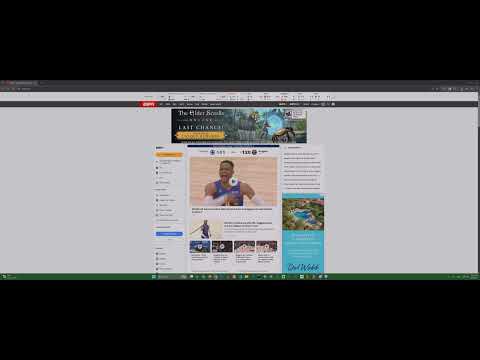
Snippit - Simple Screenshot Capture Tired of complicated screenshot tools? Snippit makes capturing your screen effortless! Download or copy full-page or cropped screenshots directly from your browser. Key Features: * Full Screen Capture: Instantly download a full-screen screenshot or copy it to your clipboard. * Precision Cropping: Click and drag to select the exact area you need. * Crop & Download: Easily save your selected cropped area as a PNG file. * Crop & Copy to Clipboard: Copy your cropped screenshot directly to your clipboard. **What's New in Version 2.0.1?** * Snippit 2.0 introduces cropped screenshots! * Crop & Download: Select any part of your screen and save just that area. * Crop & Copy: Select an area and copy it directly to your clipboard. * UI Refresh: Enjoy a much cleaner, easier on the eyes version of Snippit. ^_^ **Why Snippit?** * Simple & Fast. No complex menus, just click it, and Snippit! * Flexible. Choose between full screen or cropped areas, download or copy. * 100% Free to use. We don't collect data. we respect your privacy. * Actively Developed: We're always working to improve Snippit based on user feedback! --- **Note from the Developer** Snippit has absolutely been a labor of love. We are at 2,000+ users, and I want to say thank you so much for being a part of this journey! I hope Snippit has helped you, and I hope 2.0 is as much a joy for you to use as it was for me to make. --- **Previous Updates:** * **v2.0.1:** Fixed an issue where "Crop to Clipboard" would sometimes fail. * **v1.2.0:** Added confirmation messages for save/copy actions. * **v1.1.0:** Introduced the "Copy to Clipboard" feature for full screenshots.
5 จาก 5 คะแนนการให้คะแนน 6 รายการ
รายละเอียด
- รุ่น2.0.1
- อัปเดตแล้ว20 พฤษภาคม 2568
- ขนาด317KiB
- ภาษาEnglish (United States)
- นักพัฒนาซอฟต์แวร์เว็บไซต์
อีเมล
dinobpublishing@gmail.com - ไม่ใช่ผู้ค้านักพัฒนาซอฟต์แวร์รายนี้ไม่ได้ระบุว่าตัวเองเป็นผู้ค้า สำหรับผู้บริโภคในสหภาพยุโรป โปรดทราบว่าสิทธิของผู้บริโภคไม่มีผลกับสัญญาระหว่างคุณกับนักพัฒนาซอฟต์แวร์รายนี้
ความเป็นส่วนตัว

นักพัฒนาซอฟต์แวร์รายนี้ประกาศว่าข้อมูลของคุณจะ
- ไม่ถูกขายไปยังบุคคลที่สามหากไม่ใช่ Use Case ที่ได้รับอนุมัติ
- ไม่ถูกใช้หรือถูกโอนเพื่อวัตถุประสงค์ที่ไม่เกี่ยวข้องกับฟังก์ชันการทำงานหลักของรายการ
- ไม่ถูกใช้หรือถูกโอนเพื่อพิจารณาความน่าเชื่อถือทางเครดิตหรือเพื่อวัตถุประสงค์การให้สินเชื่อ
สนับสนุน
โปรดเปิดหน้านี้บนเบราว์เซอร์ในเดสก์ท็อป หากมีข้อสงสัย ต้องการขอคำแนะนำ หรือประสบปัญหาใดๆ