Overview
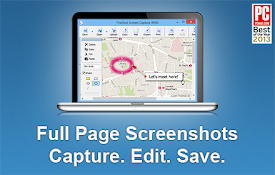
Capture visible, selected or full pages as PNG, JPG or PDF. Mark up, hide private info, turn images into PDF. No uploads.
Snap&Web2PDF saves any web page as an image or a PDF in two clicks — right on the page, without opening new tabs. No ads, no account, and your captures are never uploaded. ■ Capture (free) • Visible area, a selected area, or the full page (scrolls and stitches automatically) • Works with pages that scroll inside a box (mail and note apps) • Sticky headers aren't repeated, lazy-loaded images are loaded first • 3 s / 5 s timer for menus and tooltips, keyboard shortcuts ■ Save (free) • PNG, JPG (quality control) or PDF — A4 or US Letter, portrait or landscape • Smart page breaks avoid cutting through lines of text; drag a break to adjust it • Crop and hide private information before saving (solid black, can't be recovered) • Images → PDF: combine JPG/PNG files into one PDF (5 times a day, up to 20 images) ■ PRO ($3.99/month or $29.99/year) • Advanced editor: arrows, boxes, text, highlighter, numbered steps, mosaic and blur • Collection: gather captures from many pages, add captions, reorder, and export one PDF with a cover, contents and page numbers • Capture every open tab at once • Unlimited Images → PDF (up to 500 images per PDF) • Use on up to 3 devices — no account or password needed Subscriptions renew automatically and can be cancelled anytime. Full refund within 14 days of any payment. Secure checkout by Dodo Payments (Merchant of Record). ■ Privacy Capturing, editing and PDF creation run entirely in your browser. Captures, PDFs and your files are never uploaded. The extension only contacts our server to check your plan. Pricing & refund policy: https://snapweb2pdf.pages.dev/pricing/ Note: Chrome doesn't allow extensions to capture some pages (browser settings, the Chrome Web Store, other extensions). PDFs are image-based (text isn't selectable).
Details
- Version1.1.0
- UpdatedNovember 4, 2026
- Offered byBart Tools
- Size101KiB
- Languages2 languages
- Developer박상하
신길로 42길 44-10 뜨락 101호 영등포구, 서울특별시 07362 KREmail
barttools.contact@gmail.comPhone
+82 10-4143-6399 - TraderThis developer has identified itself as a trader per the definition from the European Union and committed to only offer products or services that comply with EU laws.
Privacy

Snap&Web2PDF: Full Page Capture & PDF Converter has disclosed the following information regarding the collection and usage of your data. More detailed information can be found in the developer's privacy policy.
Snap&Web2PDF: Full Page Capture & PDF Converter handles the following:
This developer declares that your data is
- Not being sold to third parties, outside of the approved use cases
- Not being used or transferred for purposes that are unrelated to the item's core functionality
- Not being used or transferred to determine creditworthiness or for lending purposes
Support
For help with questions, suggestions, or problems, visit the developer's support site