


概述
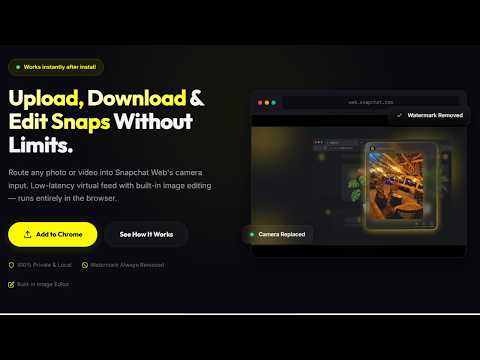
用图片或视频替换 Snapchat Web 的摄像头。
SnapVisio is a browser-based virtual camera tool that allows you to use images or videos as your camera input on websites that support webcam access in Chrome. It runs entirely inside your browser and uses standard camera permissions provided by the web platform. It is designed to give users flexible control over their camera input while maintaining privacy and local-only processing. ────────────────────────────────────────────── 🌐 OVERVIEW ────────────────────────────────────────────── SnapVisio enables you to replace your live webcam input with media files such as images or videos when using supported web applications in Chrome. It works entirely within the browser using standard camera access APIs and does not require any external software or server communication. All processing happens locally on your device. ────────────────────────────────────────────── 🎯 USE CASES ────────────────────────────────────────────── SnapVisio is designed for users who want more control over their camera input in browser-based applications, including: • Using a selected image as a virtual camera feed in web apps • Playing pre-recorded video as a webcam input in supported platforms • Preparing visual content before sharing it through camera-enabled websites • Enhancing browser-based video interactions with controlled media input ────────────────────────────────────────────── 🔑 CORE FEATURES ────────────────────────────────────────────── 🖼️ Image-Based Virtual Camera Select one or more images from your device and use them as your camera input. Switch between images instantly from your local library. 🎥 Video-Based Virtual Camera Use video files such as MP4 or WebM as a looping camera input. The video is played continuously as the active webcam feed in supported web applications. 🎨 Built-in Image Editor Edit images before using them as camera input using a built-in editing tool, including: • Freehand drawing tools • Text overlay with adjustable styling • Stickers and emoji support • Filters and color adjustments • Crop, rotate, and flip tools • Undo and redo support 🌈 Visual Filters Apply real-time visual adjustments to your selected camera input, including brightness, contrast, and stylistic filters such as warm, cool, cinematic, vintage, and monochrome effects. ⚙️ Advanced Controls • Adjustable playback settings • Frame rate control for smoother output • Media library for managing multiple images and videos • Preview mode before applying camera input • Lightweight performance optimized for Chrome ────────────────────────────────────────────── 🔒 PRIVACY & DATA HANDLING ────────────────────────────────────────────── SnapVisio is designed with privacy in mind. • All media files are processed locally inside your browser • No images or videos are uploaded to external servers • No personal data is collected or transmitted • The extension only activates on pages where camera access is requested Your content remains on your device at all times. ────────────────────────────────────────────── 🌐 COMPATIBILITY ────────────────────────────────────────────── SnapVisio works on websites that use standard webcam access through Chrome. • Works with browser-based camera applications • Requires permission to access camera input • Runs entirely within Google Chrome • No additional software installation required ────────────────────────────────────────────── 📋 IMPORTANT NOTES ────────────────────────────────────────────── • This extension provides a virtual camera input layer for supported web applications • It does not modify or alter any external website’s code or interface • Functionality depends on browser camera permission support • Some websites may restrict virtual camera inputs based on their own policies ────────────────────────────────────────────── 🧩 SUMMARY ────────────────────────────────────────────── SnapVisio gives you flexible control over your browser camera input by allowing images and videos to be used as a virtual webcam source in supported web applications — all while keeping processing fully local and private.
4.8 星(5 星制)8 个评分
详情
隐私权

该开发者已声明,您的数据:
- 不会因未获批准的用途出售给第三方
- 不会为实现与产品核心功能无关的目的而使用或转移
- 不会为确定信用度或放贷目的而使用或转移
支持
若有任何疑问、建议或问题,请在桌面浏览器中打开此页面