

Snapsheet - 1-Click HTML Table to CSV Exporter

Overview
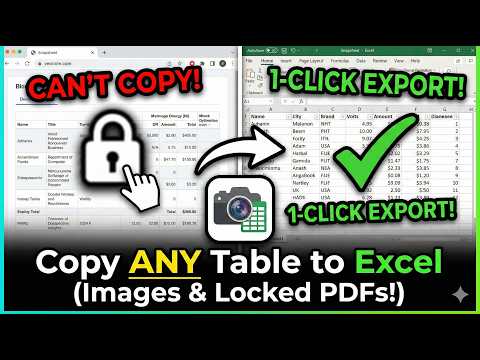
Automatically detects HTML tables and injects a floating 'Export to CSV' button.
SnapSheet: Export HTML Tables to Excel & CSV Stop manually copy-pasting tables from the web. SnapSheet is the fastest way to extract clean, formatted data from any website into Excel or Google Sheets. Whether you are scraping financial data, research statistics, or competitor pricing, SnapSheet detects the data grid instantly and lets you export it with a single click. 🚀 KEY FEATURES: ✅ Smart Table Detection: Automatically highlights data tables under your mouse—even complex <div> grids. ✅ One-Click Export: Get your data out instantly without complex configuration. ✅ Handles Merged Cells: Intelligent parsing "denormalizes" data, filling in rowspan and colspan gaps so your sorting never breaks. ✅ Privacy First: All processing happens locally in your browser. Your data never leaves your computer. 💎 PRO VS FREE: Free Forever: Unlimited exports to CSV (Universal format). SnapSheet Pro: Unlock direct Excel (.xlsx) generation and Copy to Clipboard features for a one-time lifetime license. HOW TO USE: Navigate to any webpage with a table. Hover your mouse over the table. Click the "Export" button that appears. Choose CSV (Free) or Excel (Pro). PERFECT FOR: Data Analysts & Researchers SEO & Marketing Professionals Students & Academics SUPPORT: Need help? Contact us at: snapsheet-support@noonelite.com
5 out of 51 rating
Details
- Version1.0.3
- UpdatedFebruary 23, 2026
- Size569KiB
- LanguagesEnglish
- DeveloperNoon Elite LtdWebsite
82a James Carter Road Mildenhall Bury Saint Edmunds IP28 7DE GBEmail
snapsheet-support@noonelite.comPhone
+44 7965 351703 - TraderThis developer has identified itself as a trader per the definition from the European Union and committed to only offer products or services that comply with EU laws.
- D-U-N-S234838455
Privacy

Snapsheet - 1-Click HTML Table to CSV Exporter has disclosed the following information regarding the collection and usage of your data. More detailed information can be found in the developer's privacy policy.
Snapsheet - 1-Click HTML Table to CSV Exporter handles the following:
This developer declares that your data is
- Not being sold to third parties, outside of the approved use cases
- Not being used or transferred for purposes that are unrelated to the item's core functionality
- Not being used or transferred to determine creditworthiness or for lending purposes
Support
For help with questions, suggestions, or problems, visit the developer's support site