


Overview
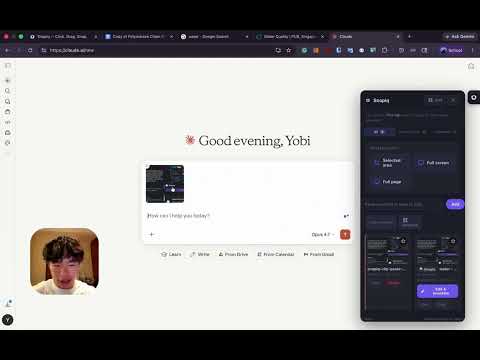
Beat AI upload limits: capture screenshots, combine them into one image, and paste a whole lecture into ChatGPT or Claude.
Bypass any AI's image upload limit with Snapiq. Snapiq merges multiple screenshots into a single combined image, so you can pack more context into one message. And take screenshots without cluttering your desktop: captures save straight to browser storage, not your Downloads folder. Grab the full page or any region in one click, annotate with pens, arrows, shapes, text, blur/redact, number stamps, crop, and watermarks, then export. Fast, private, zero setup.
4.8 out of 512 ratings
Details
- Version2.2
- UpdatedAugust 2, 2026
- FeaturesOffers in-app purchases
- Size152KiB
- LanguagesEnglish
- Developer
- Non-traderThis developer has not identified itself as a trader. For consumers in the European Union, please note that consumer rights do not apply to contracts between you and this developer.
Privacy

Manage extensions and learn how they're being used in your organization
The developer has disclosed that it will not collect or use your data.
This developer declares that your data is
- Not being sold to third parties, outside of the approved use cases
- Not being used or transferred for purposes that are unrelated to the item's core functionality
- Not being used or transferred to determine creditworthiness or for lending purposes
Support
For help with questions, suggestions, or problems, visit the developer's support site