

SnapHolt – Full Page Screenshot & Web Capture

Overview
Full-page capture, silent clips, editing, schedules, change detection, verifiable records. Captures and clips stay on your device.
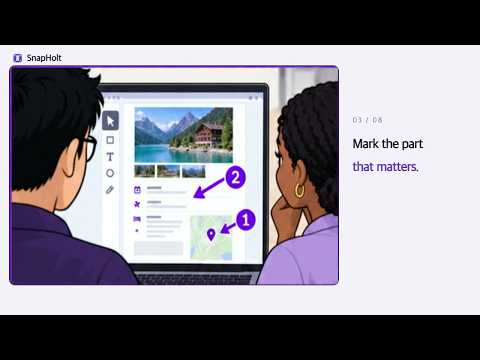
SnapHolt turns long web pages into editable, searchable, and verifiable local records. 🔒 Privacy at a glance Images, pages, URLs, and history are not sent to Queue1Lab. Only when you choose to activate, later validate, or deactivate a license are the key and license identifiers sent to Polar over HTTPS as needed. On first use, SnapHolt explains the page-reading, URL, and local-storage scope—including that all open-tab URLs are read locally only when you click Import all open tabs—before you select Agree & continue. 📸 Page records and editing Capture a full scrolling page, the visible area, or a selected region. SnapHolt handles lazy-loaded content and fixed elements, lets you edit the useful parts, and exports common image and document formats. Very long pages can be split into readable results. Longer jobs explain what will happen before they start and can be stopped while they run. 🎬 Short clips When a still cannot show what happened, record the tab you are viewing as a short silent clip, with no microphone or tab audio. Pick a region and quality, then save the result locally like any other record. Lifetime adds conveniences for frequent use, such as higher quality and GIF export. 🛡 Repeatable and verifiable work Create a record with the URL, time, and SHA-256 hash, or an evidence zip that also contains the original MHTML. Process a URL list as a PNG zip or one PDF with a table of contents. Open-tab addresses are imported only when you click the import button. Scheduled jobs, selected-region change detection, visual diffs, and searchable local history are included. Destroy & Capture lets you add playful page effects and marks, then use its direct Capture result action to save them in the screenshot — or record the smashing itself as a short silent clip. Schedules run while Chrome is running: a run missed while it was closed catches up once at the next start, and missed runs do not pile up. ℹ️ Browser restrictions Chrome security rules prevent extensions from capturing chrome:// pages and Chrome Web Store internal pages. 💎 Free & Lifetime Free includes the core capture, editing, local-history, and short-clip workflow. Schedules, batches, and verifiable records also run within the free plan's included limits. The optional Lifetime license is a $9.99 one-time purchase that lifts usage limits and adds conveniences for frequent work, such as higher quality, change detection, more export choices, and filename organization. Queue1Lab sells the license through Polar; Google is not the seller. 🔒 Privacy Images, saved page content, history, and target lists are not uploaded to Queue1Lab. There are no analytics or ads. Ordinary site requests go only to pages you select. On first use, SnapHolt discloses its current-page data, local-history, schedule, and MHTML storage scope, plus that all open-tab URLs are read locally only when you click Import all open tabs, before you select Agree & continue. Activating, later validating, or deactivating a license sends the key, fixed organization ID, product label, and Polar activation ID over HTTPS as needed. Optional trusted timestamping sends only a SHA-256 digest to FreeTSA. The UI follows Chrome's language setting automatically and can also be changed in the app.
0 out of 5No ratings
Details
- Version1.2.1
- UpdatedSeptember 19, 2026
- FeaturesOffers in-app purchases
- Offered byQueue1Lab
- Size514KiB
- Languages10 languages
- DeveloperQueue1Lab
중대로 207 송파구, 서울특별시 05702 KREmail
queue1.dev@gmail.comPhone
+82 10-8693-4844 - TraderThis developer has identified itself as a trader per the definition from the European Union and committed to only offer products or services that comply with EU laws.
Privacy

SnapHolt – Full Page Screenshot & Web Capture has disclosed the following information regarding the collection and usage of your data. More detailed information can be found in the developer's privacy policy.
SnapHolt – Full Page Screenshot & Web Capture handles the following:
This developer declares that your data is
- Not being sold to third parties, outside of the approved use cases
- Not being used or transferred for purposes that are unrelated to the item's core functionality
- Not being used or transferred to determine creditworthiness or for lending purposes
Support
For help with questions, suggestions, or problems, visit the developer's support site