


總覽
完整頁面與區域擷取、無聲短片錄製、編輯、排程、變更偵測與可驗證記錄。截圖與短片都留在您的裝置上。
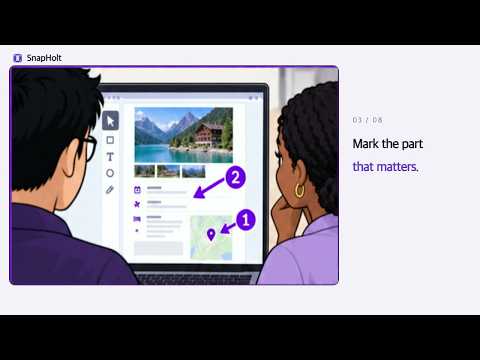
SnapHolt turns long web pages into editable, searchable, and verifiable local records. 🔒 Privacy at a glance Images, pages, URLs, and history are not sent to Queue1Lab. Only when you choose to activate, later validate, or deactivate a license are the key and license identifiers sent to Polar over HTTPS as needed. On first use, SnapHolt explains the page-reading, URL, and local-storage scope—including that all open-tab URLs are read locally only when you click Import all open tabs—before you select Agree & continue. 📸 Page records and editing Capture a full scrolling page, the visible area, or a selected region. SnapHolt handles lazy-loaded content and fixed elements, lets you edit the useful parts, and exports common image and document formats. Very long pages can be split into readable results. Longer jobs explain what will happen before they start and can be stopped while they run. 🎬 Short clips When a still cannot show what happened, record the tab you are viewing as a short silent clip, with no microphone or tab audio. Pick a region and quality, then save the result locally like any other record. Lifetime adds conveniences for frequent use, such as higher quality and GIF export. 🛡 Repeatable and verifiable work Create a record with the URL, time, and SHA-256 hash, or an evidence zip that also contains the original MHTML. Process a URL list as a PNG zip or one PDF with a table of contents. Open-tab addresses are imported only when you click the import button. Scheduled jobs, selected-region change detection, visual diffs, and searchable local history are included. Destroy & Capture lets you add playful page effects and marks, then use its direct Capture result action to save them in the screenshot — or record the smashing itself as a short silent clip. Schedules run while Chrome is running: a run missed while it was closed catches up once at the next start, and missed runs do not pile up. ℹ️ Browser restrictions Chrome security rules prevent extensions from capturing chrome:// pages and Chrome Web Store internal pages. 💎 Free & Lifetime Free includes the core capture, editing, local-history, and short-clip workflow. Schedules, batches, and verifiable records also run within the free plan's included limits. The optional Lifetime license is a $9.99 one-time purchase that lifts usage limits and adds conveniences for frequent work, such as higher quality, change detection, more export choices, and filename organization. Queue1Lab sells the license through Polar; Google is not the seller. 🔒 Privacy Images, saved page content, history, and target lists are not uploaded to Queue1Lab. There are no analytics or ads. Ordinary site requests go only to pages you select. On first use, SnapHolt discloses its current-page data, local-history, schedule, and MHTML storage scope, plus that all open-tab URLs are read locally only when you click Import all open tabs, before you select Agree & continue. Activating, later validating, or deactivating a license sends the key, fixed organization ID, product label, and Polar activation ID over HTTPS as needed. Optional trusted timestamping sends only a SHA-256 digest to FreeTSA. The UI follows Chrome's language setting automatically and can also be changed in the app.
詳細資料
- 版本1.2.1
- 已更新2026年9月19日
- 功能提供應用程式內購商品
- 提供者Queue1Lab
- 大小514KiB
- 語言10 種語言
- 開發人員Queue1Lab
중대로 207 송파구, 서울특별시 05702 KR電子郵件
queue1.dev@gmail.com電話
+82 10-8693-4844 - 交易商這位開發人員表明自己是交易商 (依歐盟的定義),並承諾只提供符合歐盟法律的產品或服務。
隱私權

「SnapHolt – 完整頁面截圖與網頁擷取」已揭露下列關於收集及使用資料的資訊。 如需更多詳細資訊,請參閱開發人員的《privacy policy》。
SnapHolt – 完整頁面截圖與網頁擷取 會處理下列資料:
這位開發者就你的資料做出下列聲明:
- 除經核准的用途外,不會將你的資料販售給第三方
- 不會基於與商品核心功能無關的目的,使用或轉移資料
- 不會為了確認信用度或基於貸款目的,使用或轉移資料
支援
如有疑問或建議,請前往開發人員的支援網站


