

SnapDoc: Screenshot PDF Reports & Documentation Tool

Overview
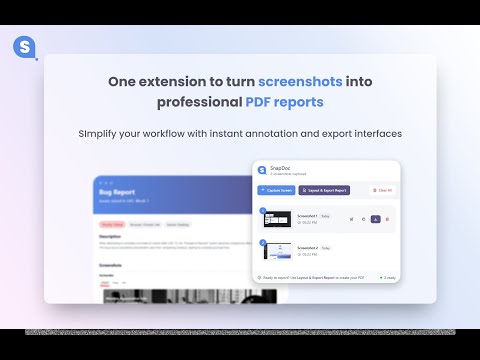
Capture & export screenshots as professional PDF reports. Bug reports, QA, lab docs. Free, no account needed, works offline.
🔹 Overview: Turn screenshots into clean, professional PDF reports. Capture, annotate, organize, and export screenshots with context, perfect for bug reports, documentation, and reviews. Screenshot Shortcut: CTRL + SHIFT + Y SnapDoc helps you convert raw screenshots into structured visual documents, not just images. 🔹 What SnapDoc Helps You Do: SnapDoc is built for people who need clarity, context, and shareable documentation, not just screenshots. Use SnapDoc to: • Create bug reports with annotated screenshots • Generate documentation and step-by-step guides • Share design feedback with visual context • Build research notes and visual reports • Export professional PDFs in seconds 🔒 Privacy & Performance (Trust Signals) 🔒 All screenshots are processed locally 📁 Files stay on your machine — no forced cloud upload ⚡ Fast, lightweight, and works offline 🛑 No unnecessary permissions SnapDoc is designed to be safe for sensitive content and reliable for daily work. ⭐ Top Reasons to Install SnapDoc 1️⃣ Capture screenshots instantly ( Ctrl + Shift + Y ) 2️⃣ Annotate screenshots with highlights, arrows, and notes 3️⃣ Add titles, descriptions, tags, and dates to screenshots 4️⃣ Combine multiple screenshots into a single PDF report 5️⃣ Choose clean page layouts (1–4 images per page) 6️⃣ Preview exactly how your PDF will look before export 7️⃣ Export professional reports ready to share 🧩 Core Features ✓ Screenshot capture (visible area / selection) ✓ Screenshot annotation & editing ✓ PDF report builder (multi-page) ✓ Structured metadata per page (title, description, tags, date) ✓ Multiple image layouts per PDF page ✓ Clean, documentation-focused design 🧠 Designed For SnapDoc is especially useful for: • Developers & QA engineers • Designers & product teams • Technical writers & educators • Students & researchers • Anyone who needs visual documentation 🚀 Upcoming Features: An upgrade is coming with: ✓ Rich text editor (WYSIWYG) for descriptions ✓ Scenario-based exports (Bug Report, QA, Documentation) ✓ Multiple export formats (PDF, Markdown, Images ZIP) ✓ Optional branding & templates ✓ Full Webpage screenshot exports
5 out of 54 ratings
Details
- Version1.0.1
- UpdatedMarch 2, 2026
- Size518KiB
- LanguagesEnglish
- Developer
- Non-traderThis developer has not identified itself as a trader. For consumers in the European Union, please note that consumer rights do not apply to contracts between you and this developer.
Privacy

SnapDoc: Screenshot PDF Reports & Documentation Tool has disclosed the following information regarding the collection and usage of your data. More detailed information can be found in the developer's privacy policy.
SnapDoc: Screenshot PDF Reports & Documentation Tool handles the following:
This developer declares that your data is
- Not being sold to third parties, outside of the approved use cases
- Not being used or transferred for purposes that are unrelated to the item's core functionality
- Not being used or transferred to determine creditworthiness or for lending purposes
Support
For help with questions, suggestions, or problems, please open this page on your desktop browser