

SnapCanvas Pro
2 ratings
)
Overview
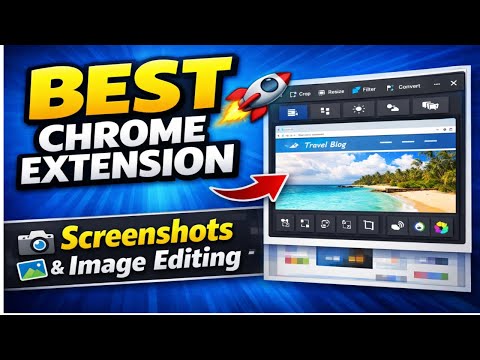
Convert, crop, resize images and screenshots. Extract images from webpages or uploads, edit everything locally, fully user-initiated
🌟 SnapCanvas Pro – Privacy-First Image & Screenshot Tool SnapCanvas Pro is a powerful and easy-to-use Chrome extension designed to help you capture, edit, and manage images and screenshots directly in your browser — all while keeping your privacy fully protected. Whether you are a designer, developer, content creator, student, or everyday user, SnapCanvas Pro gives you complete control over your images without sending any data to external servers. ✨ Key Features • Capture visible-area and full-page screenshots • Crop, resize, rotate, and flip images with precision • Convert images between common formats • Extract all images from active browser Tab • Edit uploaded images and screenshots locally • Download images in high quality • Clean, fast, and user-friendly interface All features are activated only when you choose to use them. 🔐 Privacy First – 100% Local Processing SnapCanvas Pro is built with a strict privacy-first approach. • No user accounts • No analytics or tracking • No ads • No cookies • No data collection • No server uploads All image capturing and editing is performed entirely on your device using browser APIs and HTML5 Canvas. Your images never leave your computer. 🛡 Transparent Permission Usage SnapCanvas Pro requests only the permissions required to deliver its features, and they are used solely when you actively trigger an action: • activeTab – Capture screenshots of the currently active tab • scripting – Enable full-page capture and webpage image detection • contextMenus – Add helpful right-click shortcuts • storage & unlimitedStorage – Store preferences and handle large images locally • downloads – Save edited images to your device No permission is used in the background or without your interaction. 🎯 Designed For • Designers and creatives • Developers and technical users • Content creators and marketers • Students and educators • Anyone who needs fast, private image editing 🚀 Why Choose SnapCanvas Pro? ✔ Fully user-initiated actions ✔ Works offline after installation ✔ No sign-ups or logins ✔ Lightweight and fast ✔ Privacy-respecting by design SnapCanvas Pro gives you powerful image tools without compromising your privacy. Your images stay yours — always. 🔎 Summary Convert, crop, resize, and edit images and screenshots. Extract images from webpages or uploads. Everything works locally, securely, and only when you choose.
5 out of 52 ratings
Details
- Version1.0.0
- UpdatedFebruary 6, 2026
- Size154KiB
- LanguagesEnglish (United States)
- Developer
Email
mdobindustry@gmail.com - Non-traderThis developer has not identified itself as a trader. For consumers in the European Union, please note that consumer rights do not apply to contracts between you and this developer.
Privacy

This developer declares that your data is
- Not being sold to third parties, outside of the approved use cases
- Not being used or transferred for purposes that are unrelated to the item's core functionality
- Not being used or transferred to determine creditworthiness or for lending purposes