Item logo image for SN Report to PDF

SN Report to PDF

3.7(

3 ratings

)
Item media 2 (screenshot) for SN Report to PDF
Item video thumbnail
Item media 2 (screenshot) for SN Report to PDF
Item video thumbnail
Item media 2 (screenshot) for SN Report to PDF

Overview

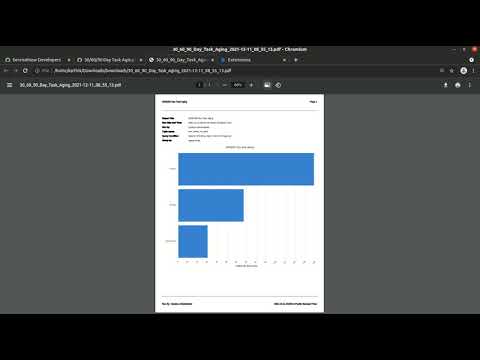
An alternative approach to export reports to high quality PDF in servicenow.

This extension enhances the existing Export to PDF option of reports in Service Now. When this extension is enabled, Instead of opening the default dialog box when clicked on Export to PDF option, a new tab with a printer-friendly version of the report is displayed. Where you can configure PDF print options using the inbuilt print dialog box in your browser. This extension leverages the "sysparm_media=print" feature within Service Now to export high-quality PDF of reports. If you face any issues, please raise an issue in the GitHub repository given below. The source is available at : https://github.com/karthikchiru12/SN-Report-to-PDF

Details

  • Version
    1.0
  • Updated
    December 11, 2021
  • Offered by
    chiranjeevikarthik.kuruganti
  • Size
    7.94KiB
  • Languages
    English
  • Developer
    Email
    chiranjeevikarthik.kuruganti@gmail.com
  • Non-trader
    This developer has not identified itself as a trader. For consumers in the European Union, please note that consumer rights do not apply to contracts between you and this developer.

Privacy

Manage extensions and learn how they're being used in your organization
The developer has disclosed that it will not collect or use your data.

This developer declares that your data is

  • Not being sold to third parties, outside of the approved use cases
  • Not being used or transferred for purposes that are unrelated to the item's core functionality
  • Not being used or transferred to determine creditworthiness or for lending purposes

Support

Related

Just-One-Page-PDF: An awesome web page to PDF tool

4.7

Use Just-One-Page-PDF in just a few clicks. Easily capture entire webpage or selection area as high-quality PDF.

Notion PDF Page Break Exporter

4.5

Export Notion pages to PDF with proper page breaks at dividers

PDF Tools - Convert, Resize & Merge

1.0

Manipulate PDF documents via Ghostscript interpreter right in your browser!

PDF Converter

0.0

Convinent tool to convert DOCX to PDF right from new tab

Right PDF

1.0

Convert a web page to PDF

ChatGPT to PDF by PDFCrowd

4.7

Turn your chats into neatly formatted PDF.

PDF to Google Sheets

5.0

Convert PDF to Google Sheets easily. Extract table data from PDF. Import, copy PDF table to Excel spreadsheet, keep data formatting.

One Click Page to PDF

0.0

Export the current tab as a PDF and download it with one click.

Webpage to PDF

4.5

Save or convert any webpage to PDF in one click — full page, article, or element export, plus margins, print-style options and more.

أدوات نور الذكية - تصدير التقارير والكشوف

5.0

تصدير تقارير وكشوف نظام نور إلى Excel, Word, PDF تلقائيًا.

Element PDF Extractor

5.0

Easily convert any webpage element to PDF. Select elements with precision and generate clean PDFs without unwanted content.

DeepSeek PDF Pro

1.0

Export DeepSeek chat conversations to PDF with advanced customization options

Just-One-Page-PDF: An awesome web page to PDF tool

4.7

Use Just-One-Page-PDF in just a few clicks. Easily capture entire webpage or selection area as high-quality PDF.

Notion PDF Page Break Exporter

4.5

Export Notion pages to PDF with proper page breaks at dividers

PDF Tools - Convert, Resize & Merge

1.0

Manipulate PDF documents via Ghostscript interpreter right in your browser!

PDF Converter

0.0

Convinent tool to convert DOCX to PDF right from new tab

Right PDF

1.0

Convert a web page to PDF

ChatGPT to PDF by PDFCrowd

4.7

Turn your chats into neatly formatted PDF.

PDF to Google Sheets

5.0

Convert PDF to Google Sheets easily. Extract table data from PDF. Import, copy PDF table to Excel spreadsheet, keep data formatting.

One Click Page to PDF

0.0

Export the current tab as a PDF and download it with one click.

Google apps