

SN Dev Guard
1 rating
)
Overview
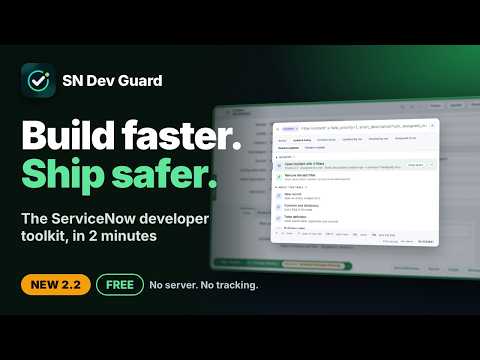
Command palette, script review and AI fixes, update set guard, field and access tools for ServiceNow developers. Faster and safer.
SN Dev Guard: build faster, ship safer on ServiceNow. One toolkit for ServiceNow developers and admins. Find anything in seconds, check and fix scripts before they cause trouble, and stop accidental changes in production or in the wrong update set. Works on every ServiceNow instance, in the classic UI and in Workspace (Next Experience). No server, no account, no tracking. ━━━━━━━━━━━━━━━━━━━━ FIND ANYTHING: COMMAND PALETTE ━━━━━━━━━━━━━━━━━━━━ • Press the key before 1 (~ on Windows, § on Mac) or Ctrl+K / Cmd+K on any ServiceNow page. • Open any table, record number or sys_id. Commands are listed first, so the thing you want to do is at the top. • Filter a table in plain words: press Tab on a table, then type priority=1, short_description*vpn or assigned_to=me. One-click filters for Active, Updated today, Created today, Updated by me, Created by me, Assigned to me, and newest first. Copy the finished query. • Everything about a table, one key away: new record, dictionary, table definition, business rules, client scripts, UI policies, UI actions, ACLs, data policies, notifications and schema map. • 100 developer commands in 9 categories: Scripts, Flow Designer, Portal and catalog, Forms and UI, Security, Integrations, Data, Logs, Admin. Browse them with category chips and pin your favourites. • Your own commands: add any page or link to the palette under a name you choose, with {table}, {sys_id} and {instance} filled in from the page you are on. • Search inside a command: press Tab on Business Rules, Script Includes, Client Scripts, UI Actions, ACLs, Flows, Widgets and more to search them by name or by code, with the matching line shown. • Shortcuts: "br", "si", "cs", "ua", "acl", "fix", "flow", "widget" plus a name searches that type at once. Words can be in any order. • Search all scripts: 15 script types at once. On any record, "Scripts that run on <table>" lists its Business Rules, Client Scripts, UI Actions, UI Policies and ACLs. • People search (type @ or press Ctrl+Shift+K): users, groups and roles, with impersonation in one click. • Open the current record in your portal: Employee Center by default, or Service Portal, or your own. ━━━━━━━━━━━━━━━━━━━━ LISTS, YOUR WAY ━━━━━━━━━━━━━━━━━━━━ • Extra columns on every list you open from the palette, such as Updated and Updated by, added after the list's own columns. Dot-walked fields work. • Per-table rules with no limit: each table gets its own columns (added, or shown alone), its own filter and its own sort. • Choose the sort, keep the filter open, and add your own address parameters. • A "Try it" box shows the exact address that will open. The list's layout is remembered, so the next open is instant. ━━━━━━━━━━━━━━━━━━━━ CHECK AND FIX SCRIPTS ━━━━━━━━━━━━━━━━━━━━ • Script review in the editor: findings line by line, based on ServiceNow best practices and the API reference (GlideRecord performance, current.update() in Business Rules, gs.log in scoped apps, deprecated and misspelled APIs, client and server rules). • Wrong names are caught against your own instance: fields that do not exist on the table, tables that do not exist, and dot-walks such as current.caller_id.manager.emial, followed field by field, with a "did you mean" suggestion. • Misspelled methods on Script Includes: a call such as AssetUtil.creatAsset() is checked against the real Script Include on your instance, including the methods it inherits, and reported before it fails at run time. • Check a script: a real editor in the palette, with line numbers, colours, Tab and comment keys. It checks as you type, marks the lines with problems, finds syntax errors and variables that were never declared, and takes the table of "current" so its fields are checked too. • Review a whole update set: every script in it, ranked by severity. • Your AI assistant, your choice: Claude, ChatGPT or Copilot. The Write, Review, Explain and Fix buttons open the assistant you picked with your script and record settings already filled in. Free with your own account. Nothing is sent until you press Enter there. • Optional, for advanced users: with your own Anthropic API key, fixes appear inside the panel as a diff you review before applying. ━━━━━━━━━━━━━━━━━━━━ DEBUG FASTER ━━━━━━━━━━━━━━━━━━━━ • What runs on a table: everything active on a table in the order ServiceNow runs it (client scripts, UI policies, data policies, before, after and async business rules, flows, workflows, notifications), for opening the form, insert, update or delete, including what the table inherits. Collapsible groups and a name filter. • Compare a script across instances: the script in the editor against the same record on your QA or production instance, line by line, with other changed fields listed. • Compare versions: any saved version of a script against the editor or another version, with who changed it, when and in which update set. Put an older version back in the editor in one click. • Cancel a stuck transaction: when a page keeps waiting for ServiceNow, a small notice offers "Cancel transaction". Also a command in the palette. • Debug this script: the log entries the script on screen wrote, and errors that name it, from 15 minutes to 7 days, with errors and warnings only in one click. • Field usage: double-click a field label to see every Business Rule, Client Script, UI Policy and ACL that uses it. • Access check: why a user can or cannot read, write, create or delete a record, field by field, with each ACL's roles, condition and script. • security_admin on ACLs: a bar on ACL pages shows whether the role is on, with one button to elevate and one to switch it off again. ━━━━━━━━━━━━━━━━━━━━ PROTECT PRODUCTION AND UPDATE SETS ━━━━━━━━━━━━━━━━━━━━ • Production guard: a clear banner on script records in production and QA, and a confirmation before you save or delete. • Read-only on production (optional): SN Dev Guard makes no change of its own on production instances. • As many environments as your company has: add Preprod, Sandbox, UAT, Staging, Training or your own, each with its name, colour, level of protection and instances. Wildcards such as acme*pp are supported. • Environment colours around the page and in the status bar, with a label you can drag to any edge. • Update set guard: a warning you cannot miss when you open a configuration record in a Default update set or one that breaks your naming pattern, with buttons to switch, see its updates and review its scripts. • Move updates between update sets in bulk, one application at a time: a mixed selection is caught at once, the target list shows only update sets of the right application, and you can create a new one there, named for you. ━━━━━━━━━━━━━━━━━━━━ STATUS BAR: ALWAYS KNOW WHERE YOU ARE ━━━━━━━━━━━━━━━━━━━━ • Instance, current application and current update set on every page. • Switch application and update set in one click. See the update sets of this application, or only the ones you created that are still open. • "Updates in this set" and "Review its scripts" for the current update set, from any page. • Quick switches: reset to Global · Default, or go back to your last update set, even in another application. • Open this page on another instance: the same page on QA, preprod or production in a new tab. • Optional automatic page reload after a switch. • While impersonating, an "As <user> · End" chip stays on screen and brings you back to the same page. ━━━━━━━━━━━━━━━━━━━━ INSPECT RECORDS AND FIELDS ━━━━━━━━━━━━━━━━━━━━ • Field hover card: rest on a label to see and copy the field name, value, sys_id, display value, encoded query, GlideRecord and client script code. • One click to the field's dictionary entry and choices. • Technical field names on forms and on list columns, in classic and in Workspace. • Record tools on data records: sys_id, link, XML, audit history and every field value of a record, filterable. Script records get the Versions button instead. • Classic and Workspace switch: opens a data record in the workspace that really shows its table, read from your instance's own workspace setup, or back in the classic form. ━━━━━━━━━━━━━━━━━━━━ WRITE FASTER ━━━━━━━━━━━━━━━━━━━━ • 30 built-in snippets (queries, aggregates, GlideAjax, logging and more), plus your own. Insert with Ctrl+Shift+Space in any script field. Import and export your snippets. • Ctrl+S (Cmd+S) saves the record and keeps you on it. • Dark mode for ServiceNow forms, lists and script editors. ━━━━━━━━━━━━━━━━━━━━ MAKE IT YOURS ━━━━━━━━━━━━━━━━━━━━ • Themes: eight colours or your own brand colour, in light, dark or following your computer. Hover a theme to try it, click to keep it. • A settings page built to be read: an overview of every tool with its state, a search box for settings, and live previews of the status bar and of how your lists will open. • Export and import your settings. ━━━━━━━━━━━━━━━━━━━━ TOOLBAR POPUP ━━━━━━━━━━━━━━━━━━━━ • Your application, update set and user at a glance, with quick actions. • Update sets, your recent changes, code search across every script table (including Flow Designer flows and actions), tables and people. ━━━━━━━━━━━━━━━━━━━━ FAST AND LIGHT ━━━━━━━━━━━━━━━━━━━━ • A small download, with no frameworks. • Buttons and the status bar appear as the form does. Lookups are kept for the browser session, so reloading a form stays quick. ━━━━━━━━━━━━━━━━━━━━ PRIVACY AND SECURITY ━━━━━━━━━━━━━━━━━━━━ • No backend: there is no SN Dev Guard server, no account and no licence check. Nothing is collected, tracked or sold. • Runs in your browser with your own ServiceNow session; ServiceNow's access controls still decide what you can see and change. It works only on ServiceNow pages. • Shown only to users with the admin role by default (you choose the roles). One switch turns everything off. • You decide about AI: allowed, not on production, or never. The rule is enforced outside the page. • Only work on these instances: list the instances you want, and the extension stays completely off everywhere else. • Activity log: every change SN Dev Guard makes, everything it sends to an AI assistant and everything it blocks, written down on your computer only. Copy it or clear it at any time. • For companies: IT can set and lock these controls for everyone through Chrome's managed policy. • A Trust and security page shows where your data travels, what is kept on your computer and why each Chrome permission is needed, read live from the installed package. • It talks only to your own ServiceNow instances. Comparing with another instance reads that one record with your own login there, read-only. Code goes to an AI assistant only when you press an AI button, or to the Anthropic API only if you add your own API key. Feedback and ideas: Wahid08072018@gmail.com SN Dev Guard is an independent tool and is not affiliated with or endorsed by ServiceNow, Inc. ServiceNow is a trademark of ServiceNow, Inc. Claude, ChatGPT and Copilot are trademarks of their owners.
5 out of 51 rating
Details
- Version2.2.3
- UpdatedNovember 19, 2026
- Offered byu8229715962@gmail.com
- Size288KiB
- LanguagesEnglish
- Developer
Email
wahid08072018@gmail.com - Non-traderThis developer has not identified itself as a trader. For consumers in the European Union, please note that consumer rights do not apply to contracts between you and this developer.
Privacy

SN Dev Guard has disclosed the following information regarding the collection and usage of your data. More detailed information can be found in the developer's privacy policy.
SN Dev Guard handles the following:
This developer declares that your data is
- Not being sold to third parties, outside of the approved use cases
- Not being used or transferred for purposes that are unrelated to the item's core functionality
- Not being used or transferred to determine creditworthiness or for lending purposes