Item logo image for SMB Audiobook Creator

SMB Audiobook Creator

Item media 5 (screenshot) for SMB Audiobook Creator
Item media 1 (screenshot) for SMB Audiobook Creator
Item media 2 (screenshot) for SMB Audiobook Creator
Item media 3 (screenshot) for SMB Audiobook Creator
Item media 4 (screenshot) for SMB Audiobook Creator
Item media 5 (screenshot) for SMB Audiobook Creator
Item media 1 (screenshot) for SMB Audiobook Creator
Item media 2 (screenshot) for SMB Audiobook Creator
Item media 3 (screenshot) for SMB Audiobook Creator
Item media 4 (screenshot) for SMB Audiobook Creator
Item media 5 (screenshot) for SMB Audiobook Creator

Overview

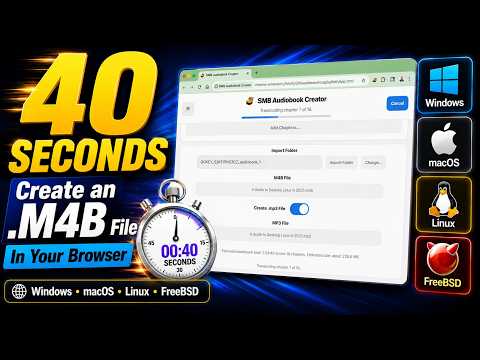
Easily create professional .m4b audiobook files with chapter markers from your browser.

Easily create professional .m4b audiobook files with chapter markers from your browser. This is the official tool SellMyBook.app uses for creating audiobooks for publication on our bookstore, GetMyBook.store. But you can use this tool without publishing on our store (even though you get a swanky-looking sales page that links to your book for sale everywhere completely for free!). Creating good .m4b audiobook files is actually kind of hard. There isn't a lot of software out there for it, and the software that does exist is scattered across different operating systems. Some of them graphical interfaces; some of them don't. Sometimes you need to chain tools together. That's no longer an issue with SMB Audiobook Creator. SMB Audiobook Creator works in your browser. It doesn't matter whether you're using Windows, macOS, Linux, Haiku, or FreeBSD as long as you're using a modern browser like Google Chrome.

Details

  • Version
    1.0.4
  • Updated
    May 2, 2026
  • Offered by
    sellmybook.app
  • Size
    12.53MiB
  • Languages
    English
  • Developer
    Email
    info@getmybook.club
  • Non-trader
    This developer has not identified itself as a trader. For consumers in the European Union, please note that consumer rights do not apply to contracts between you and this developer.

Privacy

Manage extensions and learn how they're being used in your organization
The developer has disclosed that it will not collect or use your data.

This developer declares that your data is

  • Not being sold to third parties, outside of the approved use cases
  • Not being used or transferred for purposes that are unrelated to the item's core functionality
  • Not being used or transferred to determine creditworthiness or for lending purposes

Support

Related

HTML to Markdown

4.5

Convert webpages to Markdown. Easily convert headers, text, tables or code snippets to Markdown.

Audio Transcriber

5.0

Try audio transcriber – easily transcribe audio to text in seconds. Fast, accurate transcription right from your browser.

Audio Downloader Plus

4.0

Download audio files from web pages

ReadMe - Text to Speech

0.0

Convert selected webpage text to audio and listen seamlessly.

ePub Reader for Google Chrome™

3.3

View ePUB files right in your browser.

Sample Tab Audio

2.7

An extension that enables audio capture, preview and download from the browser's current tab

Simple Audio Capture

0.0

Capture audio from the current browser tab and save it as an MP3 file.

Audio File to Text Converter

3.9

Use Audio file to text converter swiftly transcribe audio to text, turn sound into text for effortless reading and editing

Tab Audio Recorder

5.0

Record audio from a specific tab and edit it.

2-Click Audio Downloader

4.3

Easily download audio files from web pages. Find and save audio content with a single click.

Paper2Audio

5.0

Listen to your research papers, web articles and ebooks with Paper2Audio

Audio File Downloader

3.7

Identify and download audio files from web pages

HTML to Markdown

4.5

Convert webpages to Markdown. Easily convert headers, text, tables or code snippets to Markdown.

Audio Transcriber

5.0

Try audio transcriber – easily transcribe audio to text in seconds. Fast, accurate transcription right from your browser.

Audio Downloader Plus

4.0

Download audio files from web pages

ReadMe - Text to Speech

0.0

Convert selected webpage text to audio and listen seamlessly.

ePub Reader for Google Chrome™

3.3

View ePUB files right in your browser.

Sample Tab Audio

2.7

An extension that enables audio capture, preview and download from the browser's current tab

Simple Audio Capture

0.0

Capture audio from the current browser tab and save it as an MP3 file.

Audio File to Text Converter

3.9

Use Audio file to text converter swiftly transcribe audio to text, turn sound into text for effortless reading and editing

Google apps